This repo contains webGL Three.js based interface demos for interactions with 3d data using mouse and touch.
Final application
This repository has boilerplates samples. A real use case example is a 3d home model. While the focus of this repo is the 3d interactions only, this repo is used in another project linked below where it is connected to real devices and network libraries.
Now back to the "Web three Interface"
Concept
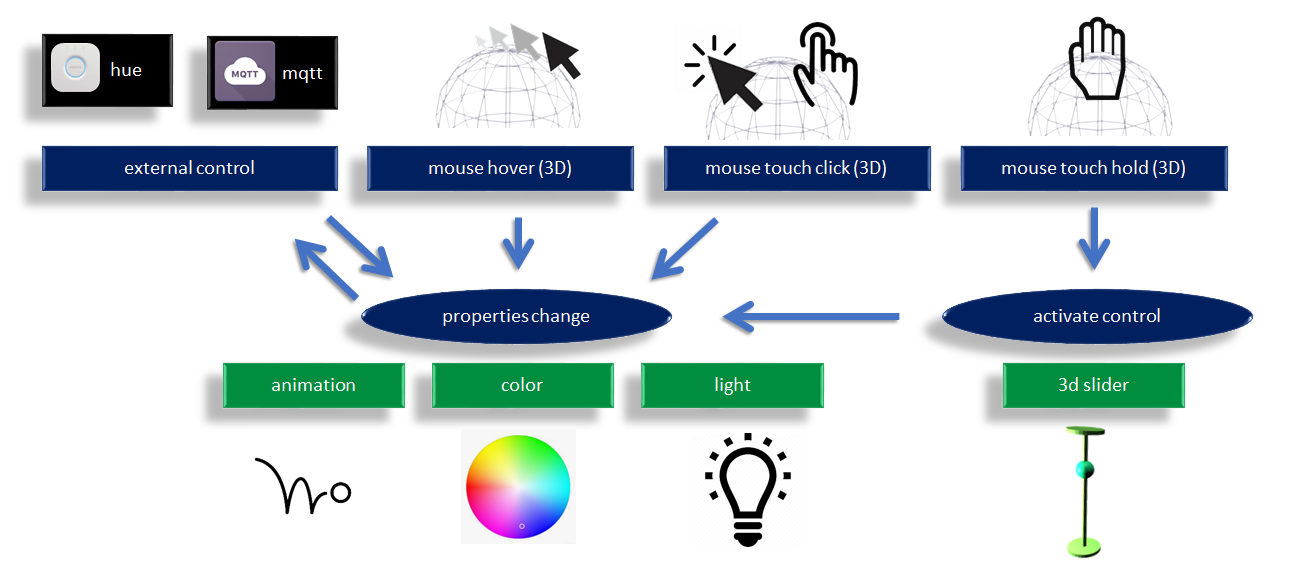
3d objects properties
Manipulation of properties such as mesh animation and color. This control can operate from an external interface of through internal 3d mouse events.
call to modify a property:
send_custom_event("three_color",{name:"Kitchen", val:0.3}); 3d mouse events
Events such as hover, click and long press. These events uses rays to match the 3d objects meshes.
user handling of 3d mouse events:
window.addEventListener( 'mesh_touch_start', onMeshTouch, false );

function onMeshMouseDown(e){
    console.log(`Mesh Touch on ${e.detail.name}`);
}
3d slider control
On activation of the control, new objects such as a slider pop up in the scene and takes over the mouse control. While the user is acting on the control, the control is producing events. The whole cycle can be as short as the user touching the 3d element, the slider popup with the bullet already under the user's finger, the user shifts slightly to the new desired position and on touch release the slider goes away.
window.addEventListener( 'mesh_control', onMeshControl, false );

function onMeshControl(e){
    console.log(`update of ${e.detail.name} value to ${e.detail.val}`);
}
01 mouse hover on mesh
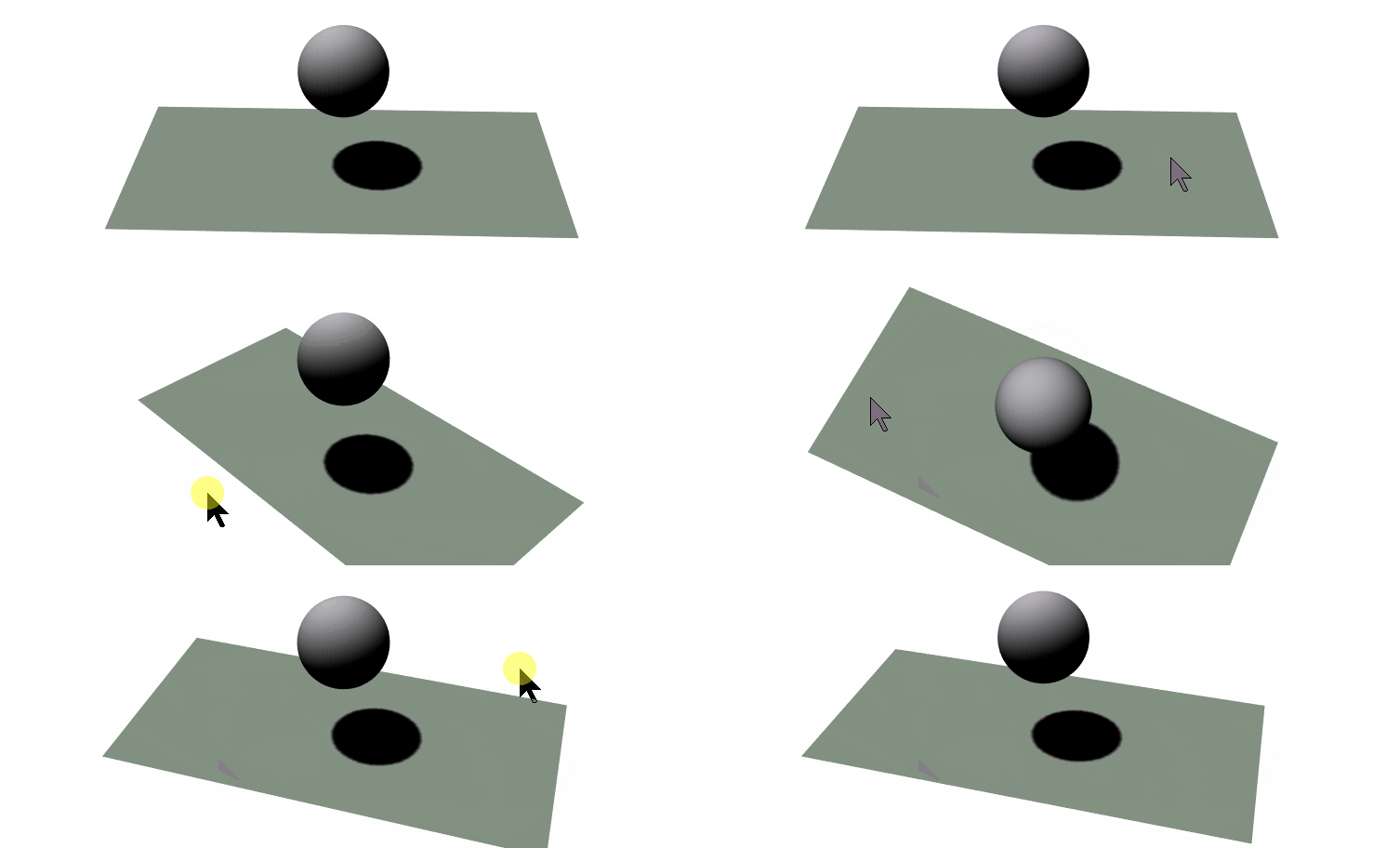
The user moves the mouse over the sphere object which changes color on enter and on exit events.
Design
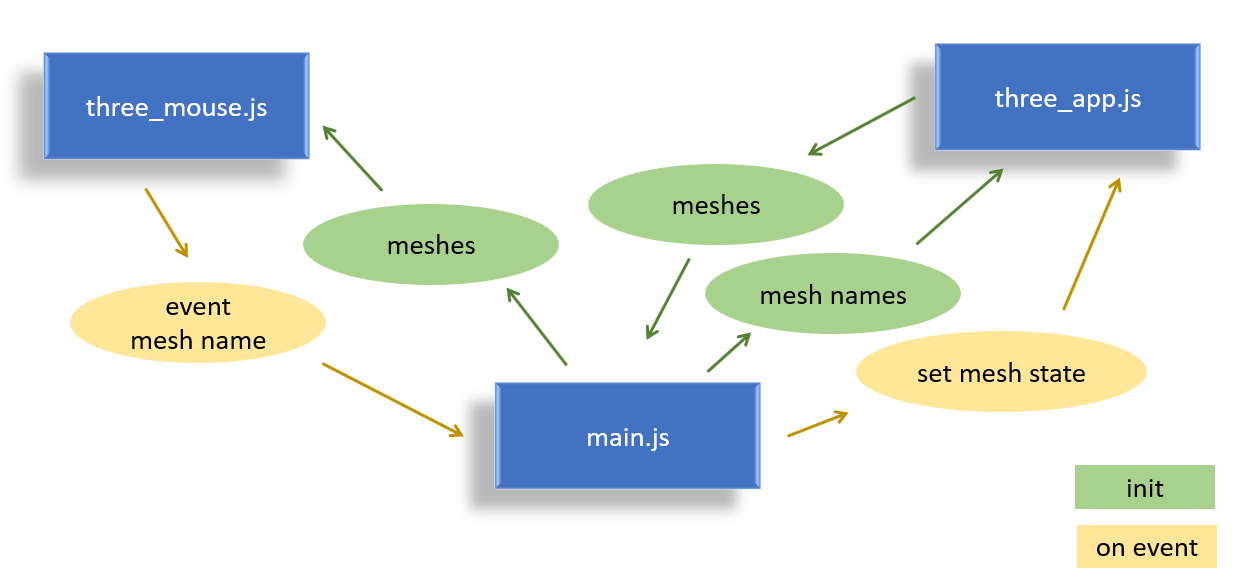
This mouse hover example is easily reusable as it is split in modules. The "three_mouse.js" contains the conversion logic from the web mouse events to the 3D mouse mesh events. It is isolated from the main application logic in "main.js", and both isolated from the "three_app.js" which contains clasical three environment and shapes creation.
On init : The user is only supposed to know the names of the created obejcts in the the three scene, and passes a list of names to get back a list of meshes with
three.getObjects().This list is then provided to the "three_mouse.js" module.
On event, the "three_mouse.js" triggers events on mouse entering the mesh and exit from the mesh. These events provide the name of the mesh. The name can be used to call a "three_app.js" function that sets the state according to the event, in this demo the emissive color is changing.
02 mouse down and touch
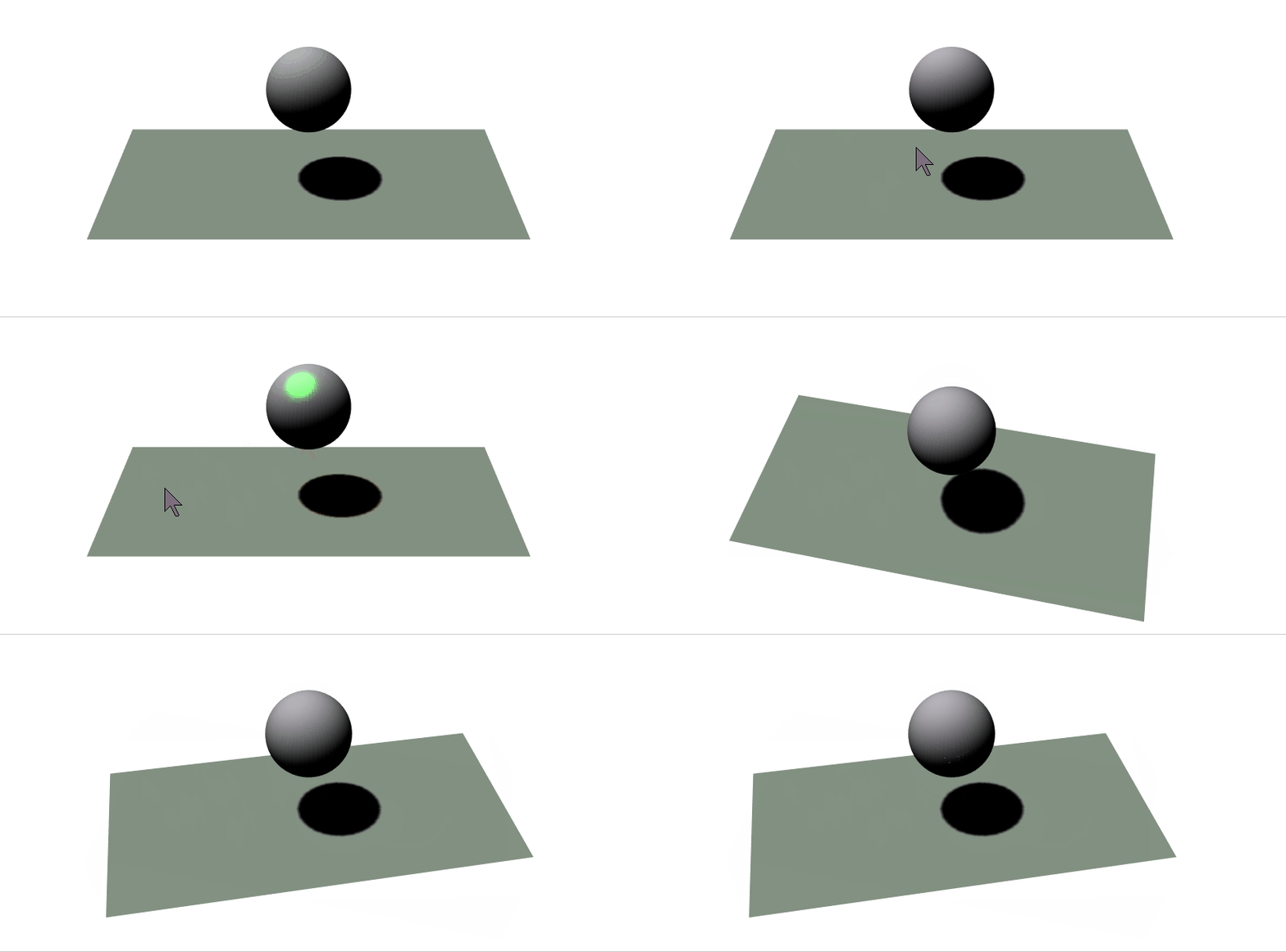
The design and the on-hover effect from demo 01 are kept. Added is a "mouse down" and "touch start" events. These new events act on the specular effect of the material to give a green shininess.
Note that on the gif, the mouse down event is shown with a yellow spot added by the gif recorder. When the user touches the screen and start moving the scene, the mouse disappears and the touch is visible through the touch gray spot.
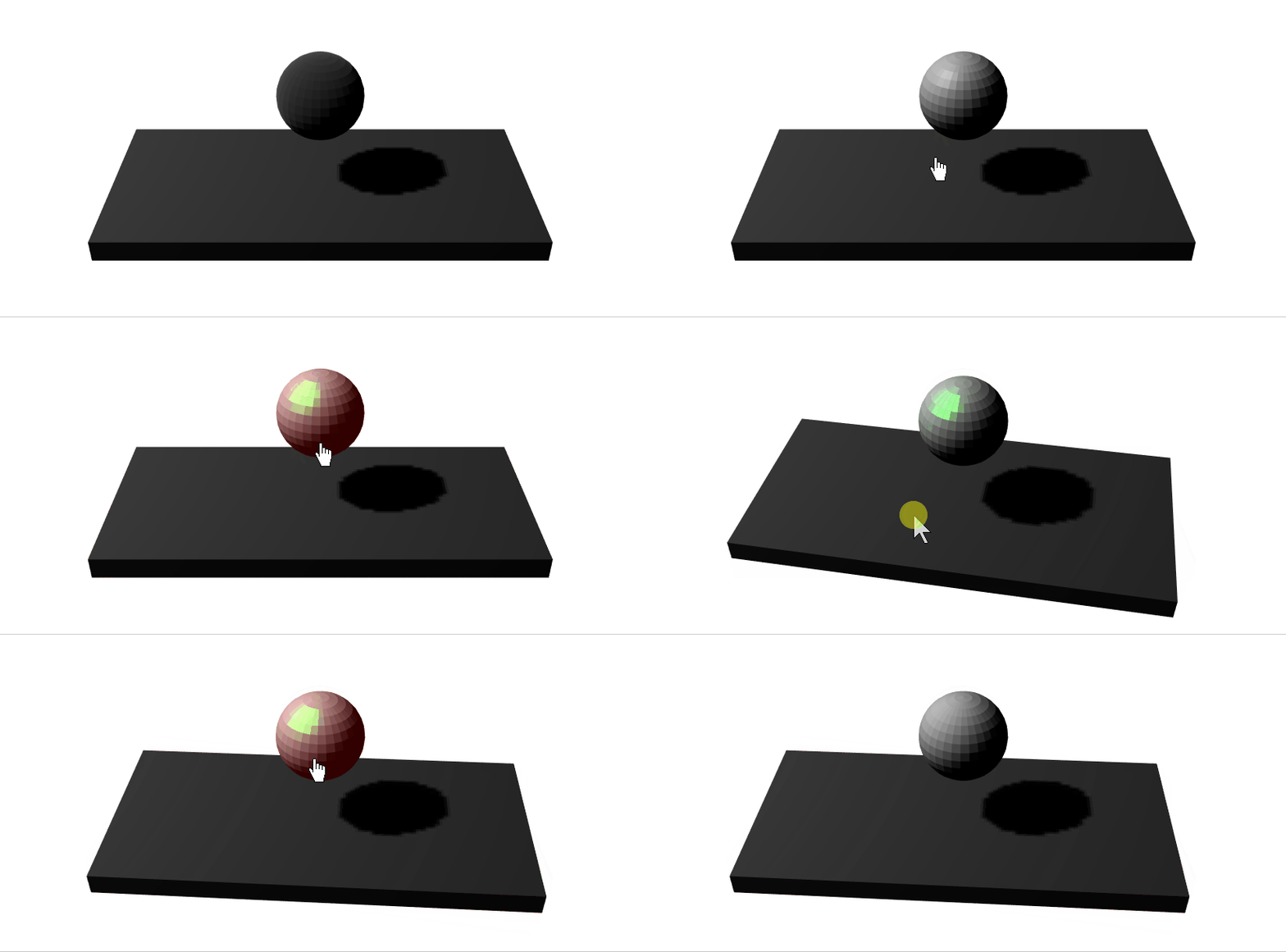
03 mouse on glTF imports
Workflow
Below is a screenshot from the blender Data outliner.
current limitations
The imported camera does not inherit the aspect ratio from the viewer and has to be adjusted, so reworked anyway.
The lights do not have the shadow camera fully configured, and the mapSize set to default, so there is still a need for customisation.
The user here hovers and clicks on the sphere. Default materials have been used in this example to keep it as close to the previous examples as possible.
04 real rooms model
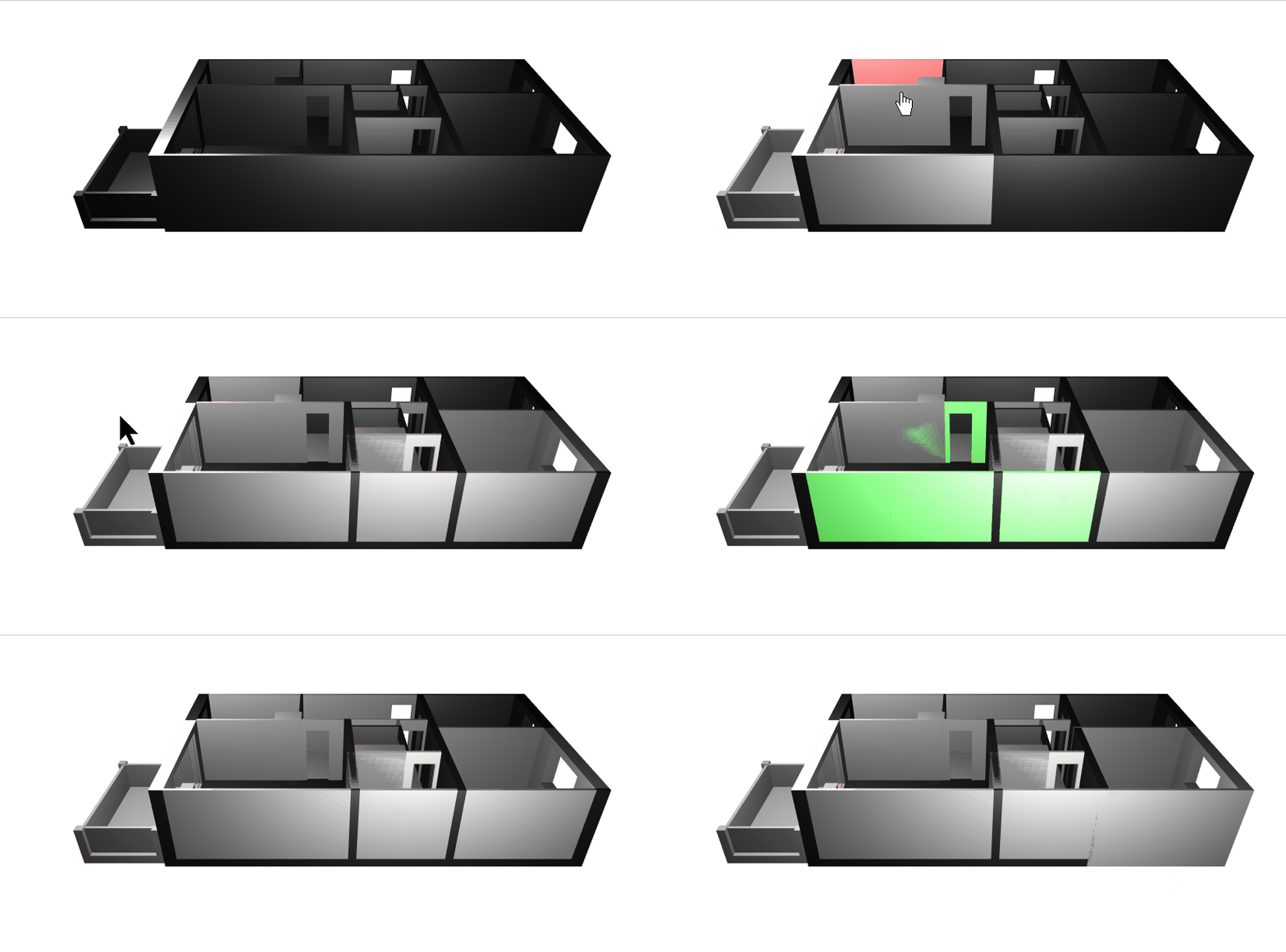
Parametric modelling
Workflow
The workflow is extended as shown below.
File Format
".fbx" is the only common format between both tools that keeps the scale and the hirerchy of objects. The ".stl" and ".obj" pack the whole model in a single mesh.
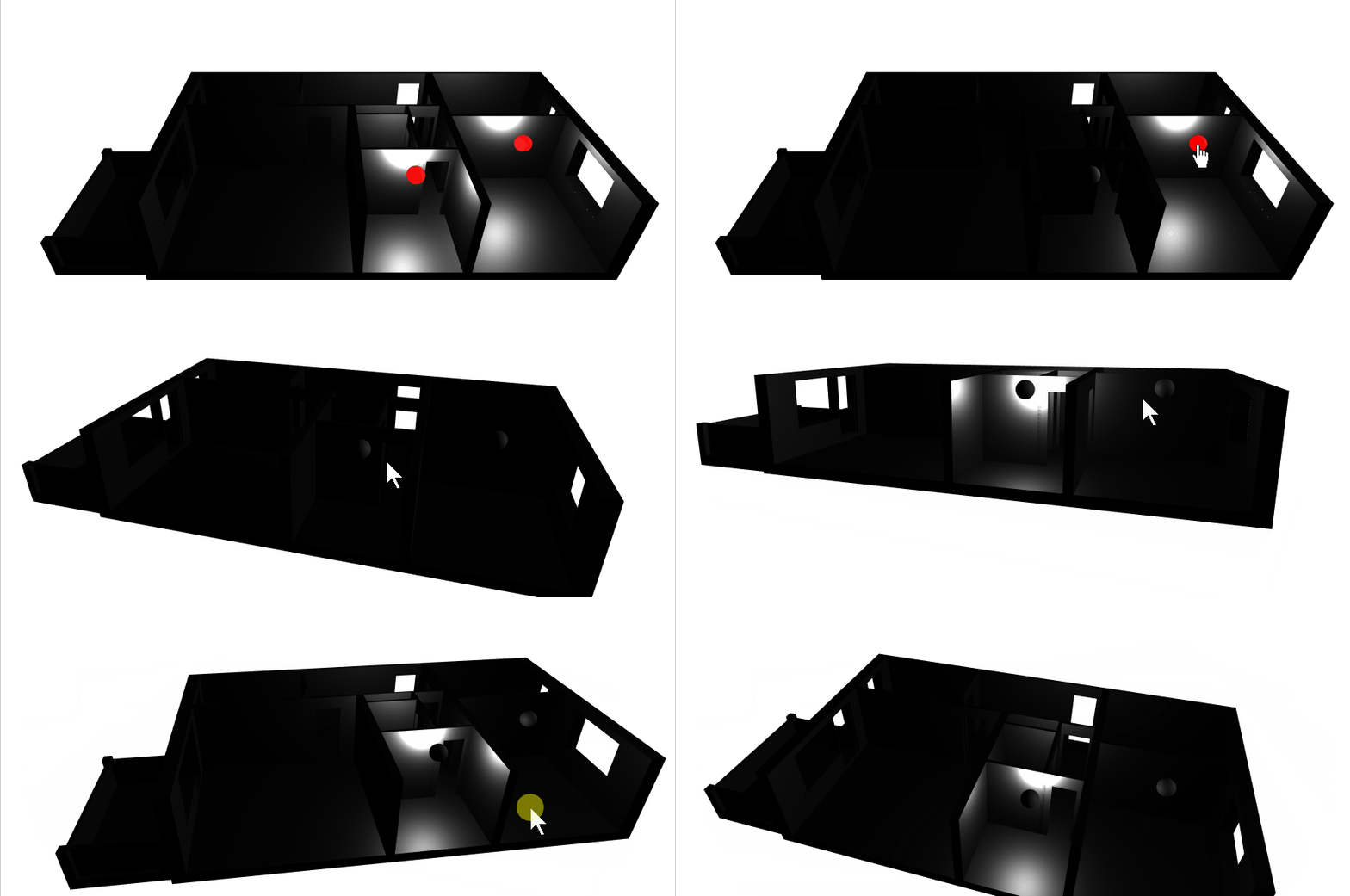
05 interactive lights
Mesh to Light connection
Custom properties are input from blender and can be transferred within the glTF file by checking their export option. Here they've been used to reference which mesh event are going to act on which light to switch it on and off.
06 light groups
Mesh to light with Parenting
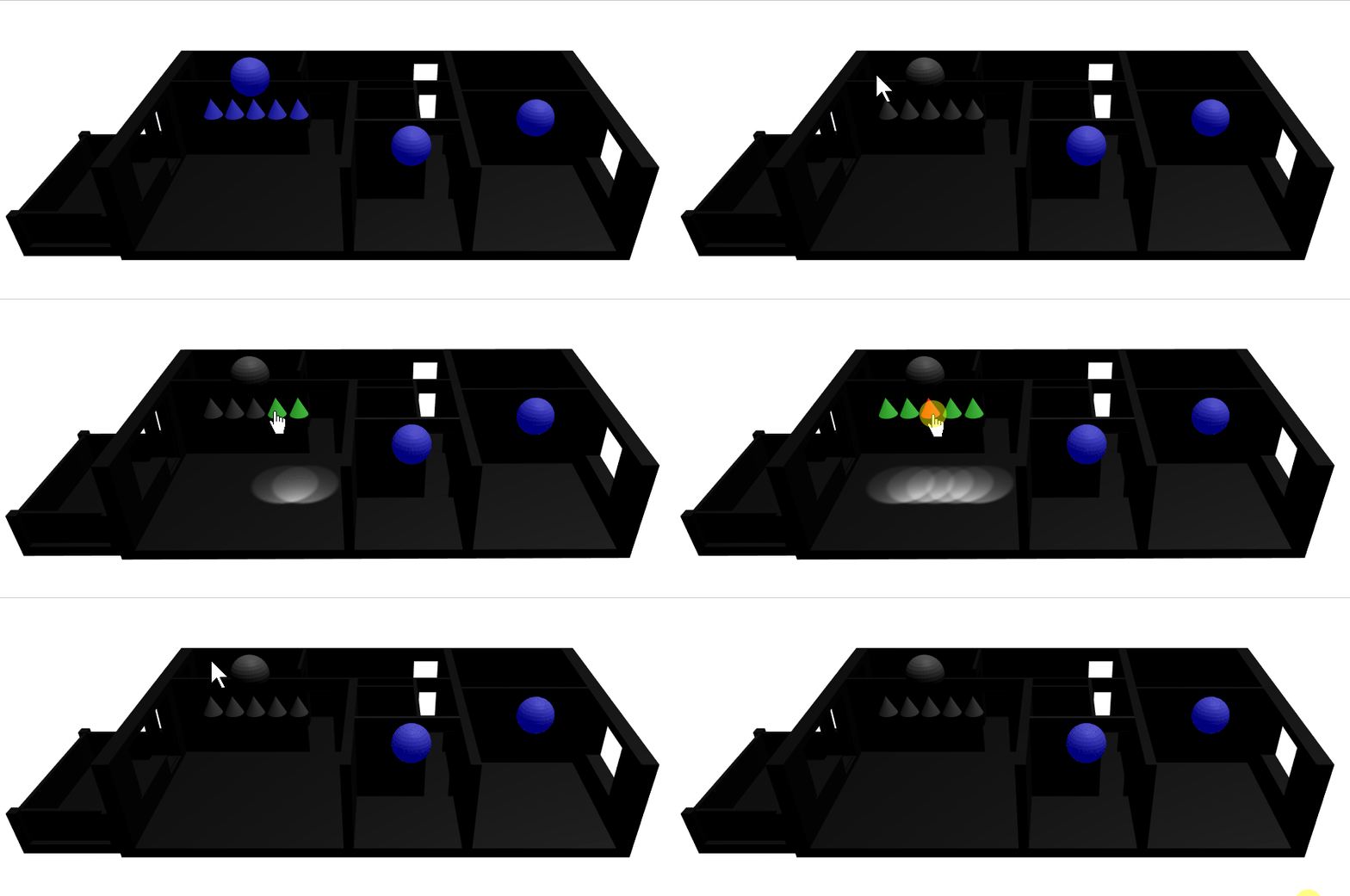
A new concept different from the previous example 05, is to simplify the mesh used to activate the light, and the light obejct connected without custom properties, rather with the light being a child object of the mesh within the blender model and as imported in the three.js scene.
As the mouse interaction is not specific to lights but could be applied to any sort of mesh, it is now explicitely set as custom property "mouseEvent"
Light grouping
Multiple lights having a similar blender structure as in the previous paragraph, can be gruoped under a common parent (in this figure above 5 of them). The parent should have as custom property "lightgroup" and also "mouseEvent" in order to receive a mouse interaction. The three_app provide functions to manage the light group by forwarding Set functions to the children lights.
Note the logic of group light click is defined to switch off all lights if any of the children is on.
07 interactive heating
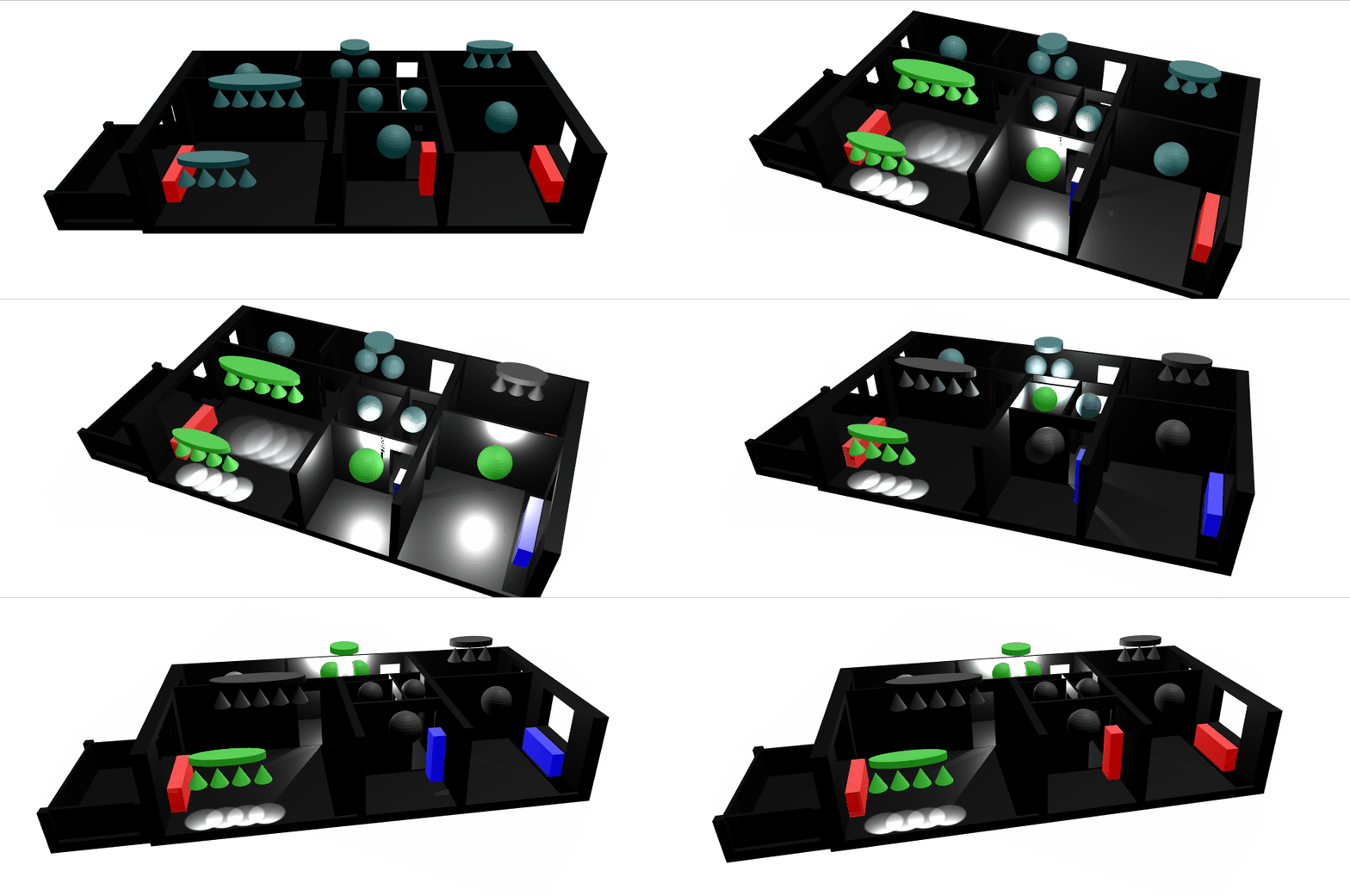
Added features in this demo:
Shadows
Complete Home lighting setup
Heating as separate interactive type
The heating has the custom parameter type=Heating. It also features an mqtt topic for future extensions. Its separate type allow handling it through a different module than the lighting.
Issues and limitations
glTF blender to three.js limitation
hit a bug when exporting a rotated child of a scaled mesh, the child mesh gets a weired distorded shaped in comparision to blender visualisation.
webGL shadows limitations
It was not possible to enable casting shadows with all lights that exceed a number of 16, so the spots got their castShadow set to false.
three.min.js:82 THREE.WebGLProgram: shader error: 0 35715 false gl.getProgramInfoLog FRAGMENT shader texture image units count exceeds MAX_TEXTURE_IMAGE_UNITS(16) self shadows on flat surface
When enabling both casting shadows and receiving shadows on the same flat surface, the below aliasing appears. So shadows were restricted to casting from walls and receiving by floors.
08 parameter to animation
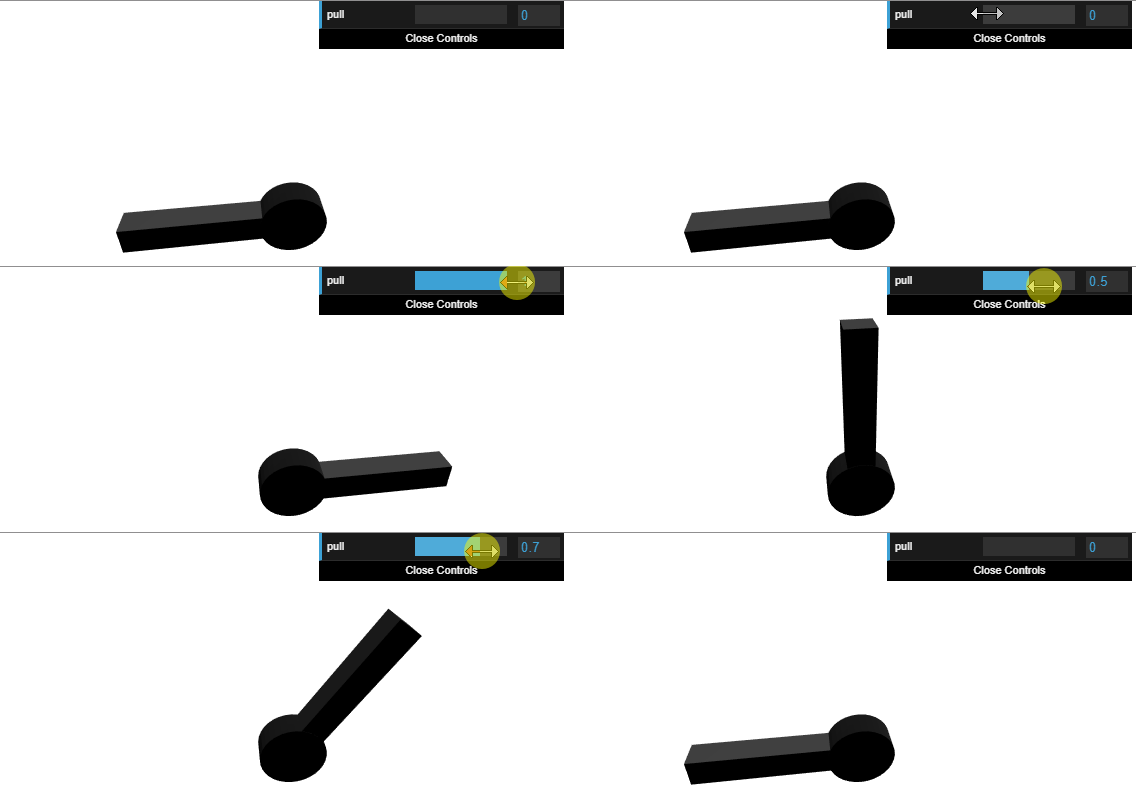
We see above the user moving the gui.dat parameter which is rotating the object. Although rotating an object in three.js is quite simple, this demo shows how to do this through an animation. That gives the advantage of abstracting the animation design from the parameter that will be controlling the animation.
blender side
Due to a three.js limitation (apparently), it was not possible to identify which object has which animation although it is available in the glTF and known by the internal three.js objects somehow. This was overcome by using a custom parameter on the object that mention the animation name:
animation hint
For controlled animation type, the animation is expected to be linear otherwise any distorsion will impact the parameter mapping as well :
design param to animation
09 Rotation Scale State parameters
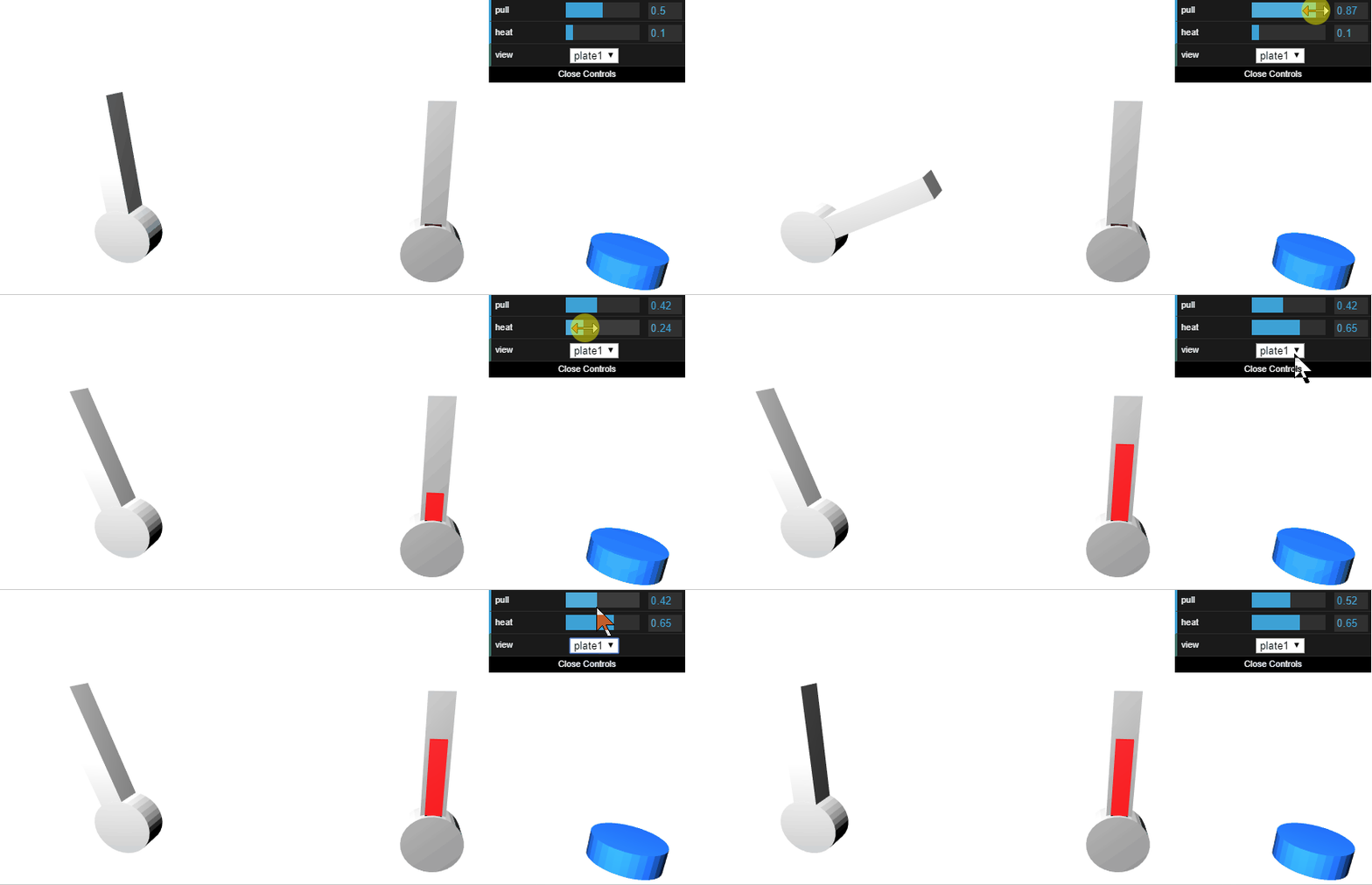
In this demo above we see the user acting on the dat.gui elements to modify the rotation of the first item through the "pull" parameter, the scale of a rectangle within the second item through the "heat parameter" and updating the state of the third item through the drop down "view" menu
Animating colors
We will be talking about "parameters" in stead of animations as it is unfortunately not possible to map all required parameters modifications to animations. One of the main goals of this project is to animate color and that is simply not yet supported by the .glTF standard. Therefore, in a first step, a multiple states concept is introduced where each state can be selected by its name, and each state is a completely different child mesh that can have a different geometry and material. Note that modifying geometry only is not required here as it could be done through animation, but there's no other way to assign more than one material to one mesh.
glTF limitations : No support for material animations
blender structure of the selectable state as parameter
Usage
To select one state, it is enough to send a javascript custom event with the name of the object to be updated and as value, the child state to be assigned :
send_custom_event("three_param",{name:"Cameleon", val:"plate1"}); 10 More States and material color animation
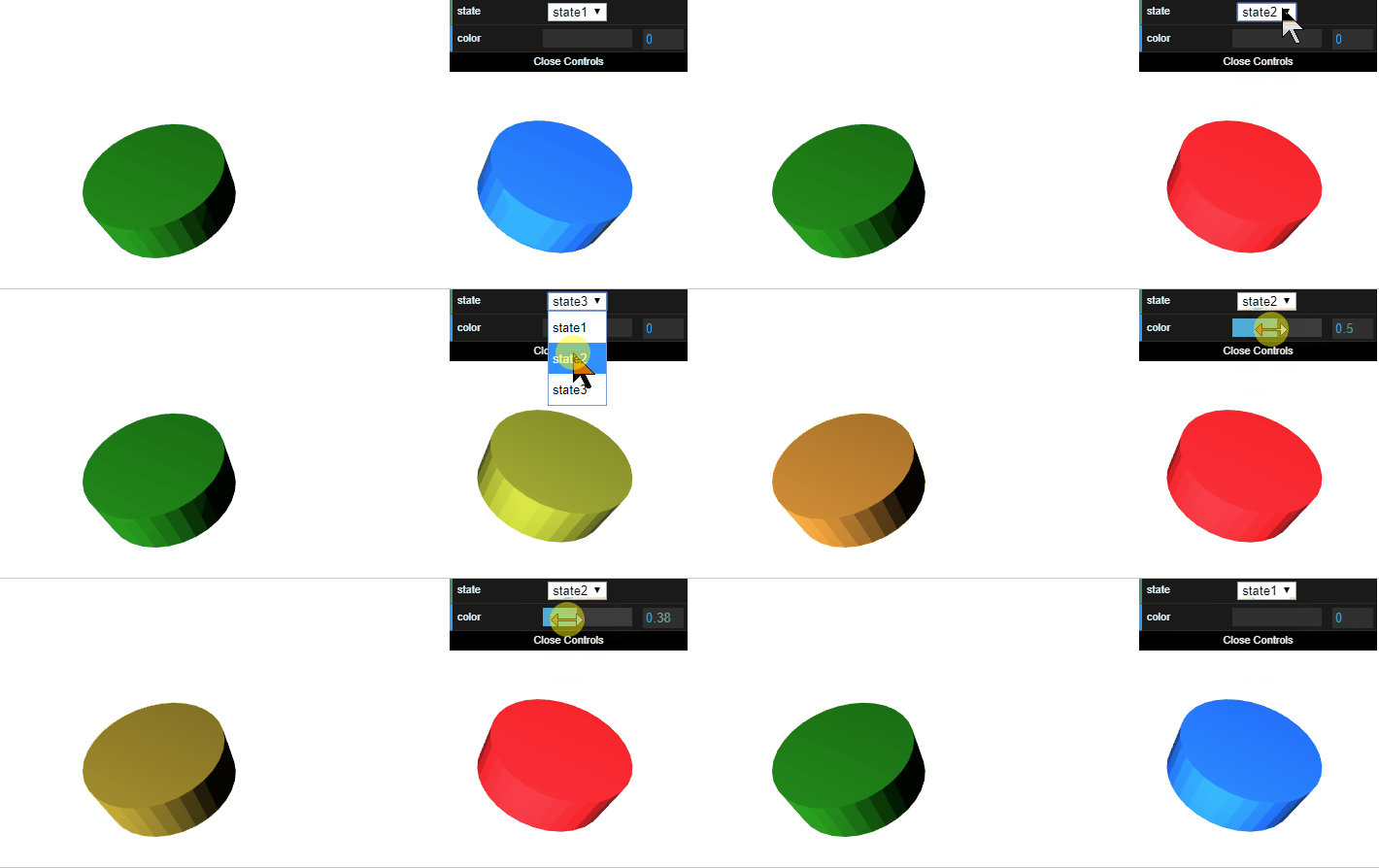
In this demo, the previous example is extended with another state. Any number of states can actually be set. A method for color variation is also acheived. This change only concerns the material RGB color, not the speculiar or others. Here a parameter is interpolating two colors, but it is possible even to have any number of colors, where each will have an interpolation weight.
Blender structure of the animated color object
Usage
send_custom_event("three_param",{name:"Cameleon", appear1:0.3, appear2:0.7});in order to have a coherent result, the sum of the given parameters is expected to be equal to one.
11 controls
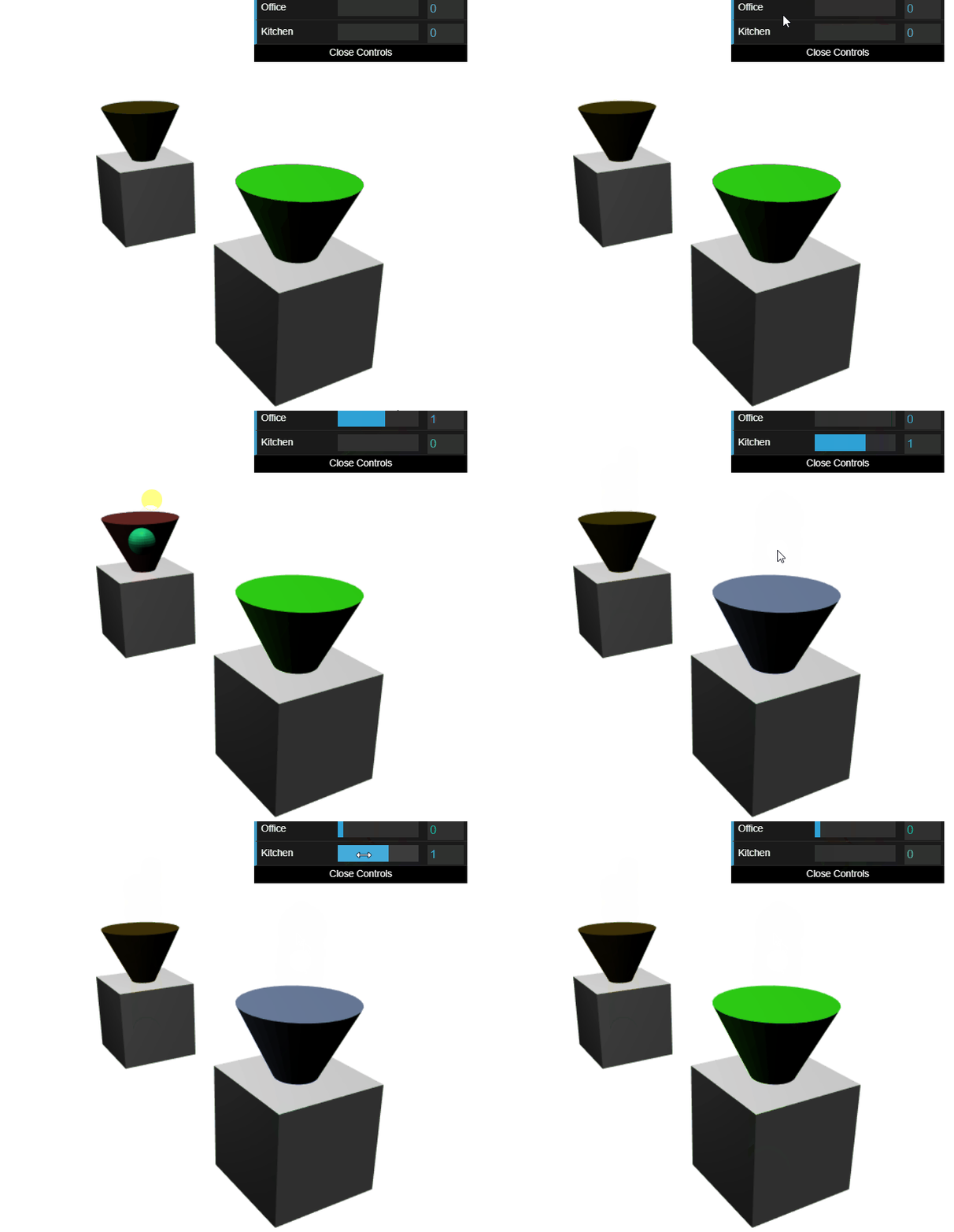
In this demo, we see the user seamlessly alternating between the usage of a classical slider from the dat.gui and the new 3d slider control. The color ratio stays consistent when updating it by either method.
usage
Updating the color is as simple as sending an event with just the object name and ratio between 0 and 1.
send_custom_event("three_color",{name:"Kitchen", val:0.3});Using the 3d slide events are as simple as subscribing to the mesh control event
window.addEventListener( 'mesh_control', onMeshControl, false );then using it on the callback
function onMeshControl(e){
    items_anim[e.detail.name] = e.detail.val;
}
config in blender
12 multiple parameters
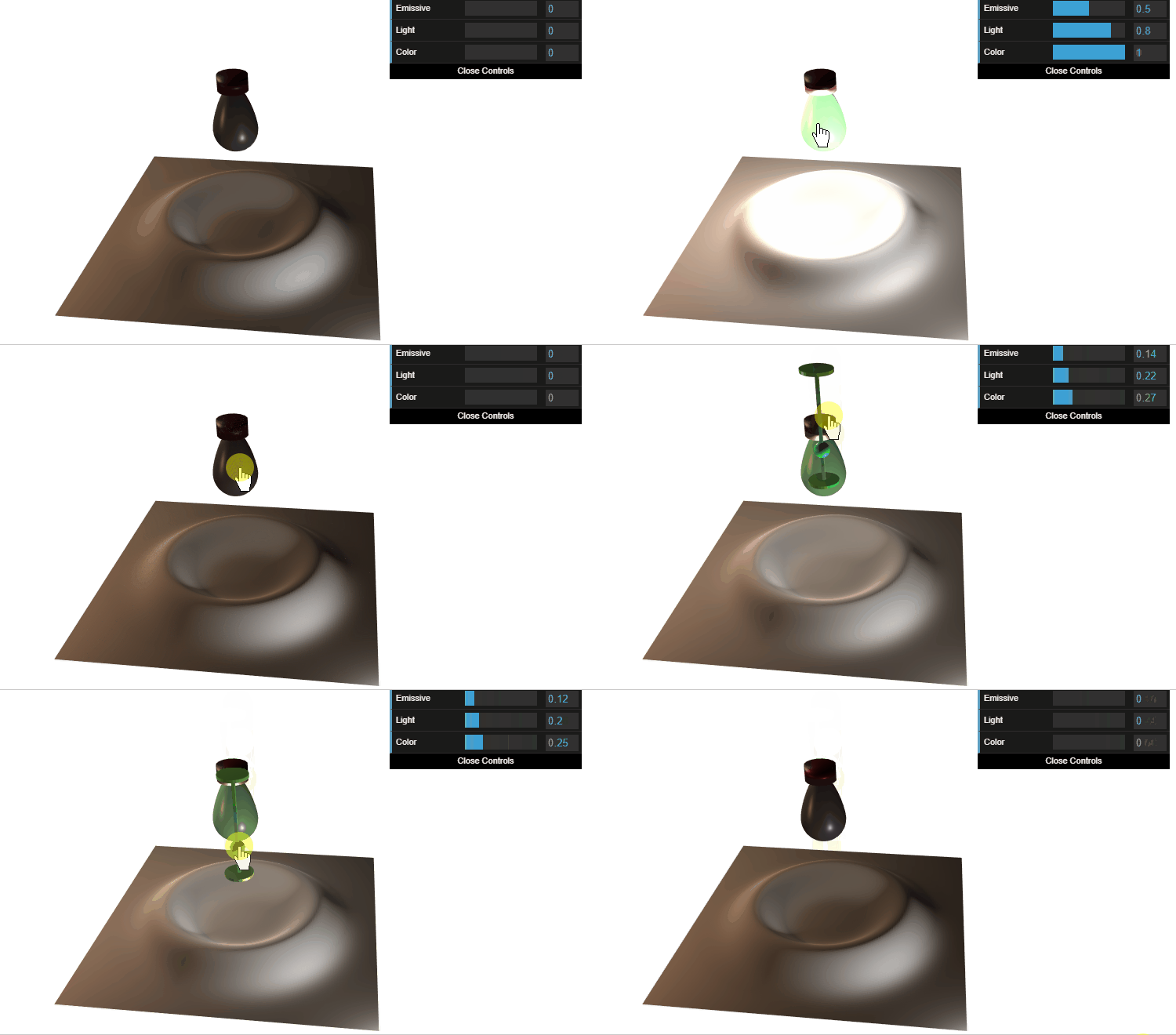
In this demo, the user is interacting with the light bulb in two ways, clicks for quick actions full switch on or off for all parameters, or with the hold (>600 ms) to smoothly adjust the value with the 3d slider.
Usage
	window.addEventListener( 'mesh_control', onMeshControl, false );
	window.addEventListener( 'mesh_click', onMeshClick, false );
	window.addEventListener( 'mesh_hold', onMeshHold, false );

    send_custom_event("three_param",{name:"Kitchen", emissive:items_anim.Emissive});
    send_custom_event("three_param",{name:"Kitchen", light:items_anim.Light});
    send_custom_event("three_param",{name:"Kitchen", color:items_anim.Color});
advanced control
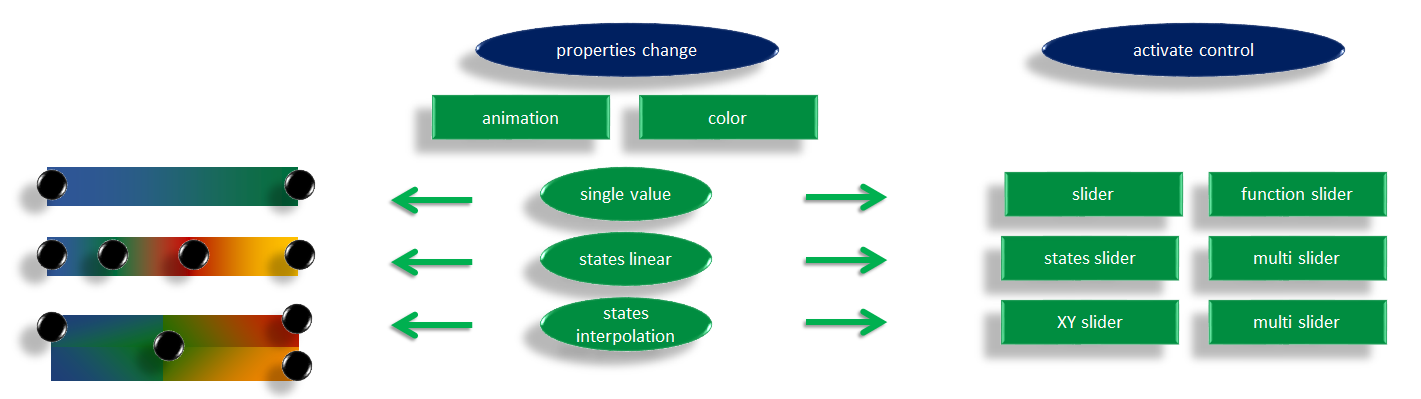
in this diagram we see the options to control a single value linearly. It is planned to expand the functionalities to multi linear states and states interpolation
Module Dependencies
Features
mouse and touch for mesh hover and down
click event and hold event (configurable click speed)
3d slider size adjusted on controlled object's size
features plan
scene
load camera from gltf
adjust camera to scene scale (clip and distance)
bake shadow textures with blender according to sunlight position
control
display slider direction facing the camera
multi touch control, using multiple slider instances
doc
show control object slider placement relative to camera
code
refactor modules in separate npm repo (three_mouse, three_controls, three_app not the home_app)
add cache-manifest
send_custom_event("three_param",{name:"Kitchen", color:0.3});
send_custom_event("three_param",{name:"Kitchen", light:0.3});
send_custom_event("three_param",{name:"Kitchen", anim:0.3});
send_custom_event("three_param",{name:"Kitchen", pull:0.3});
send_custom_event("three_param",{name:"Kitchen", push:0.3});