Webapp
runs with chrome as a web browser
Github repo
3d printing
Description
Parametric Voronoi generator with real time editing and SVG export
Overview
Generate Diagram
Edit cells
Export SVG
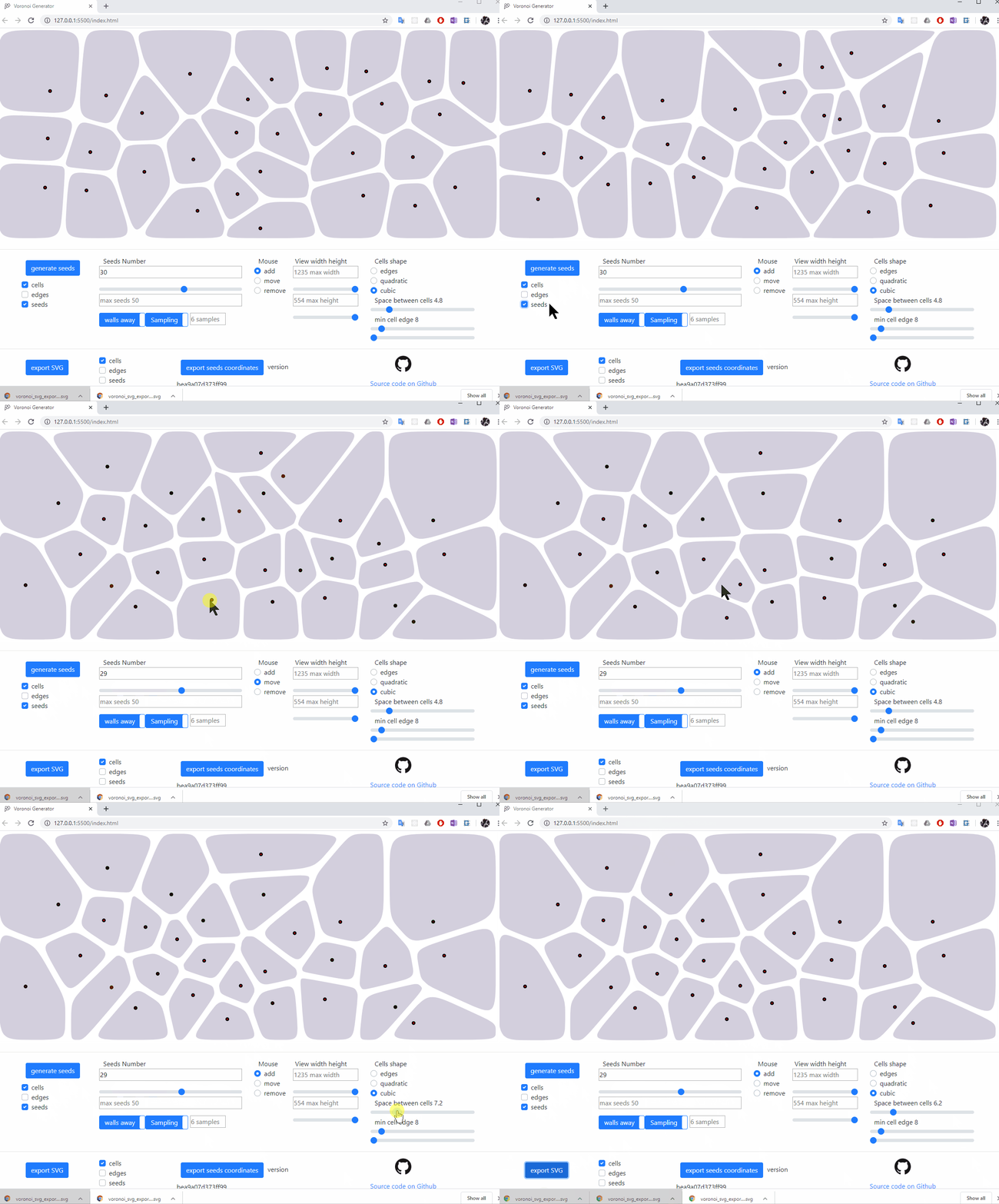
We see above the user generating new sets of seeds with their resulting voronoi diagram, hiding and viewing seeds, cells and edges, changing the number of seeds with a slider while the view updates in real time, editing the cells by moving them, removing and adding cells, changing the cells shape to quadratic bezier, simple edges and back to cubic bezier, finally adjusting the space between cells before exporting in an SVG file.
Export seeds coordinates
The seeds coordinates are what allows to generate again the same voronoig diagram
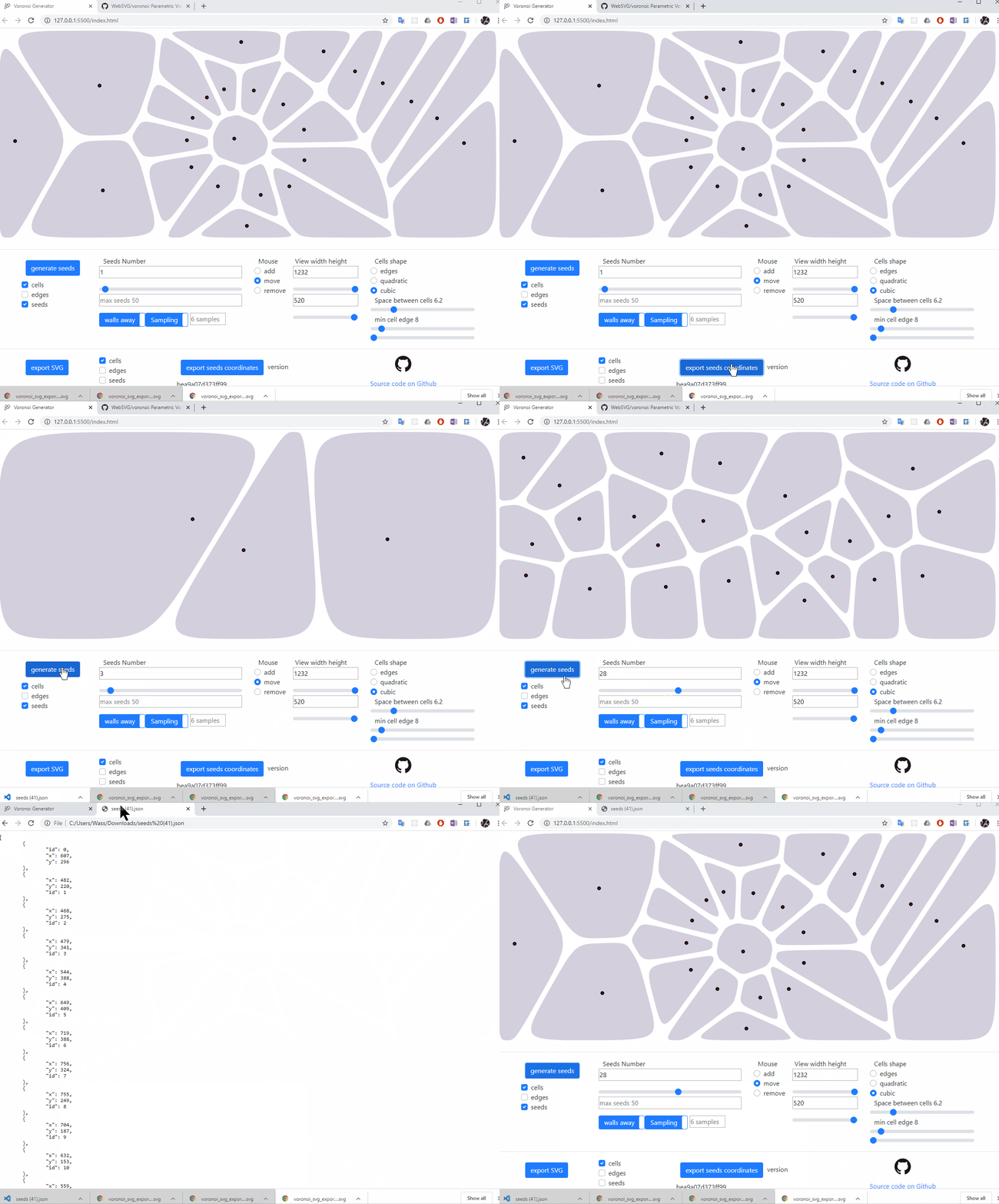
seeds can be exported as a json text file containing each seed coordinate
the
seeds.jsoncan be imported by drag and drop on the view areait is possible therefore to share seeds structures and continue working on a seeds set at any point in time
cells retraction
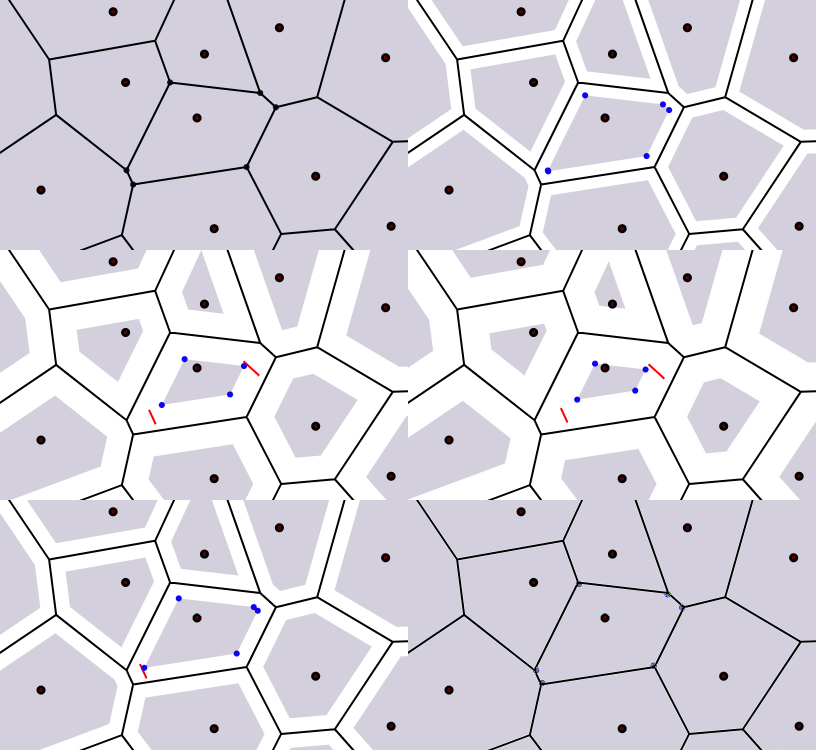
The cells are not scaled down, their edges are rather retracted in parallel to their original location.
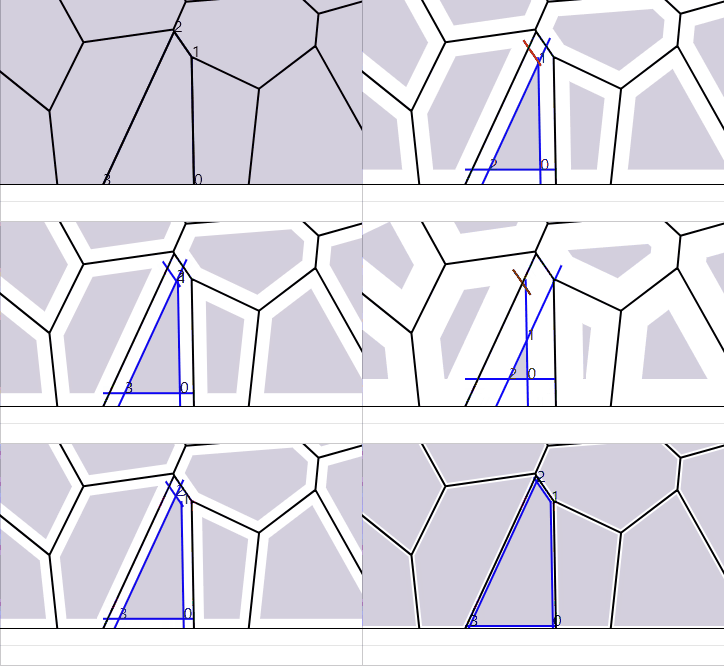
When retracting cells as a consequence some edges could become irrelevant and the shape might decrese in edges number.
Below is another example where we see in debug mode the translated edges and the discarded one is red
cubic bezier minimum edge size
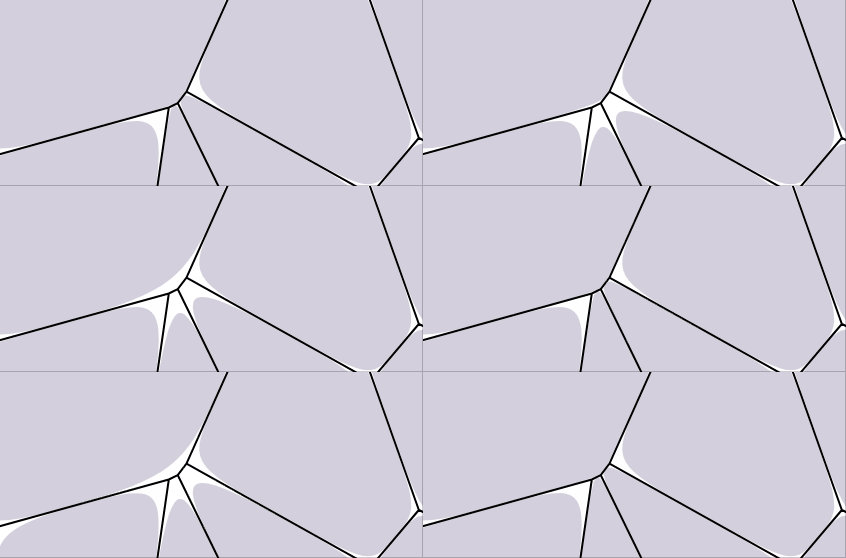
goal is to filter small edge to avoid sharp bezier curves
the quadratic bezier only has one control point, so using the center of the removed edge would still break the tangency alignment with the previous curve
clean way would require ignoring the corresponding site completely and extend the left edges till the small edge is nullified, thus reducing the total number of sides of the cell
therfore, in order to keep shapes tangent to the sides, min edge ignore is only implemented in quadratic bezier.
Shaped tesselation area
step 1 : sampling
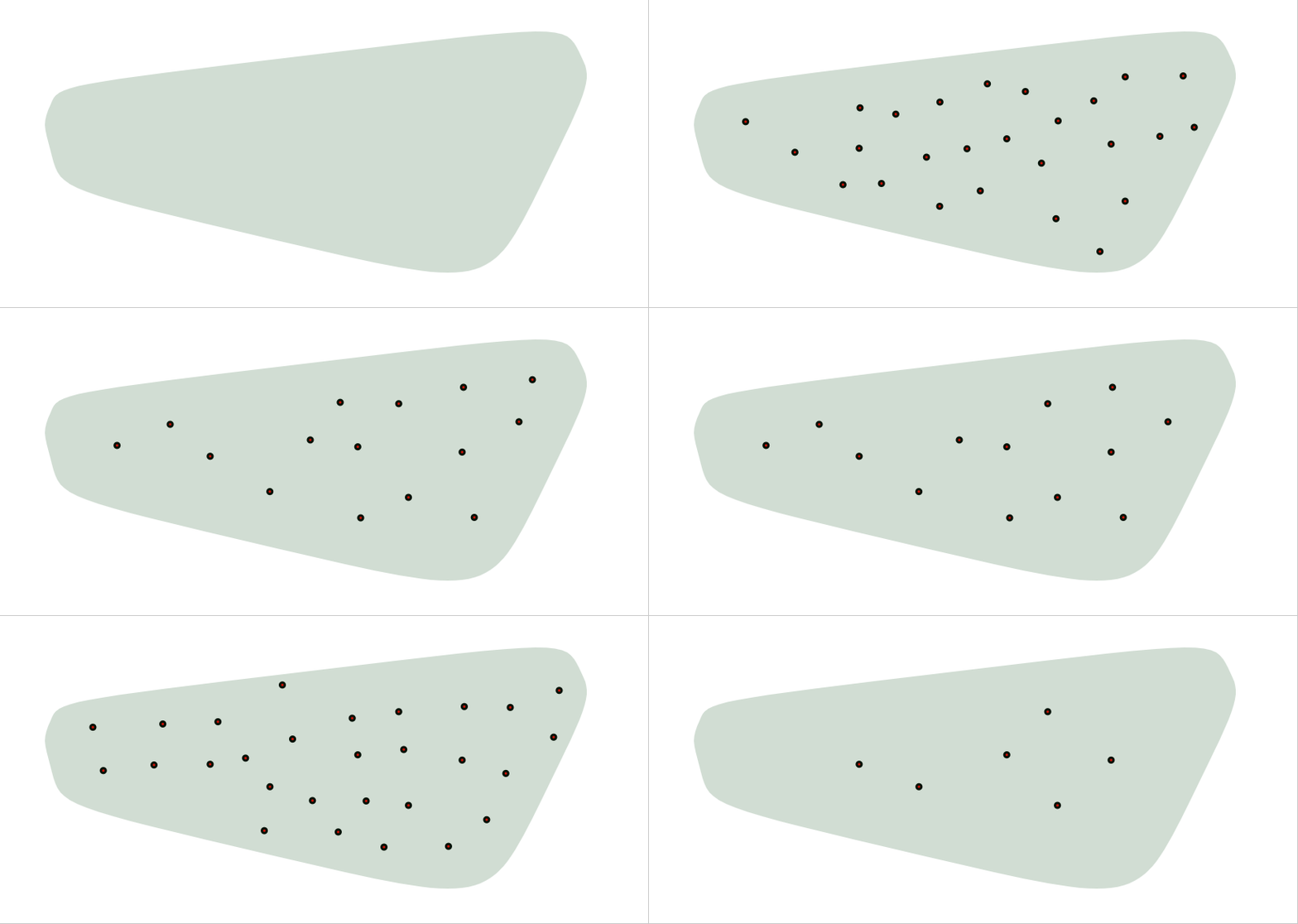
step 2 : cells isolation
the naive (and not so nice) way
    <defs>
        <clipPath id="cut-off-cells">
            <path xmlns="http://www.w3.org/2000/svg" d=${path} fill="#991155" fill-opacity="0.9"></path>
        </clipPath>
    </defs>
clipPath
function, it would result in this
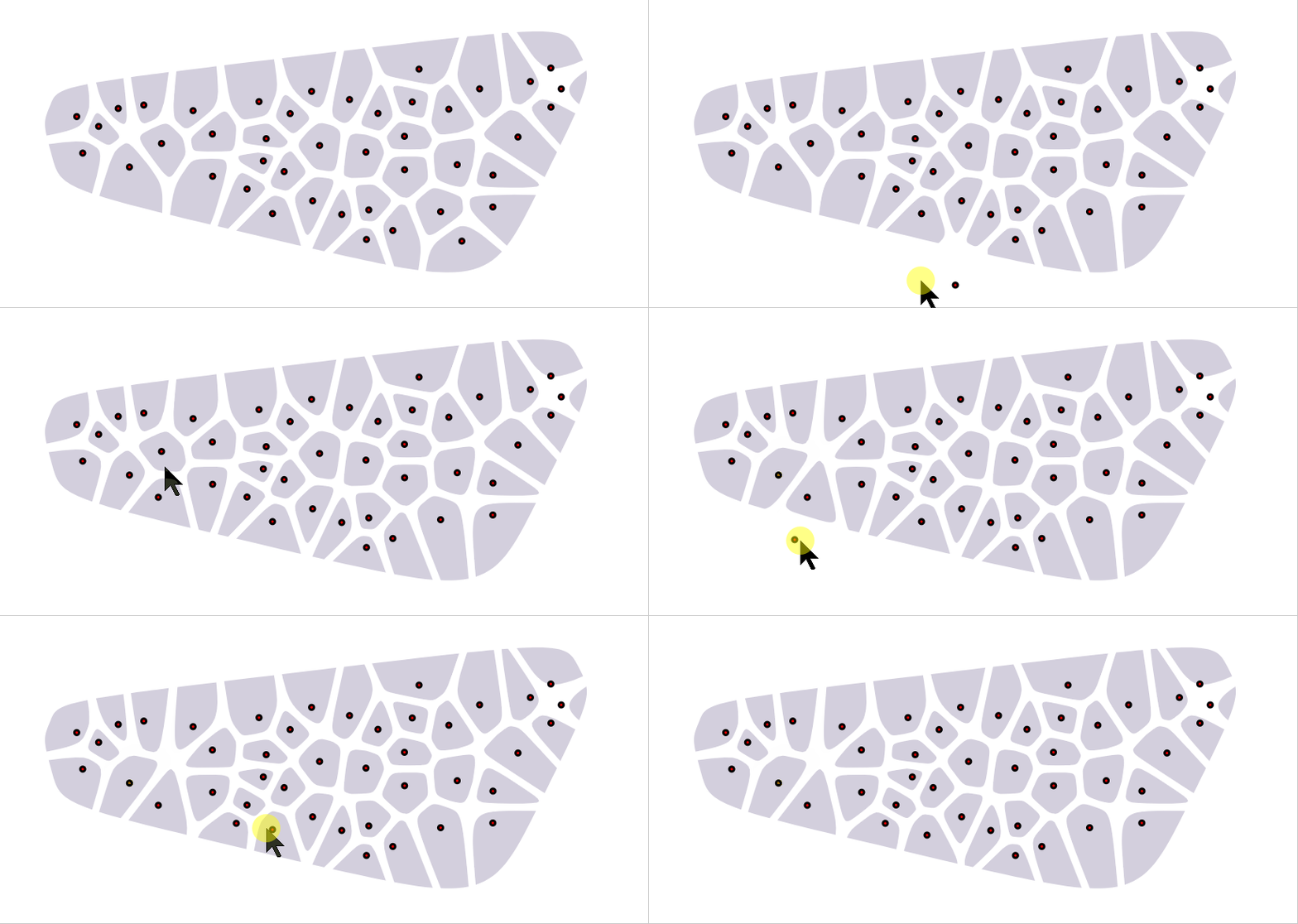
First issue, Fusion360 as example does not support
clipPathSecond issue, the cut is very sharp and breaks the bezier shape of the cells
the nicer way
Note : the higher the number of samples per seed, the more the cells will allign the shape's path
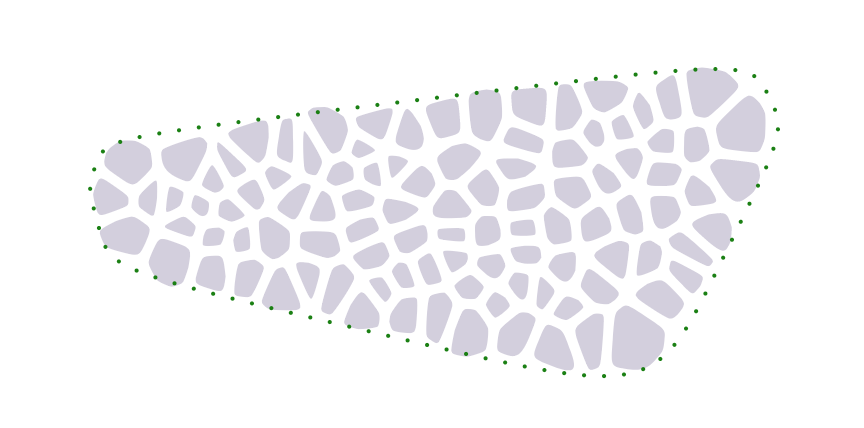
Before explaining how this works, let's inspect that the voronoi cells are natually alligned along the custom path we provided as input
Below is the revealed secret. There are seeds actually being sampled outside the path area for the sole purpose of giving support to the inside cells not to expand till the external frame. Also important that the cells are not just simply randomly sampled inside and outside the area, they are rather avoiding the path with a distance cost factor, that prevents cells from cutting the edges to a certain extent.
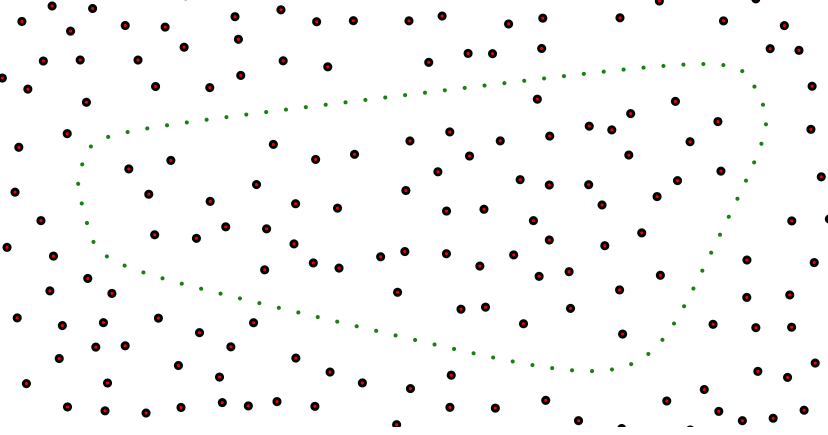
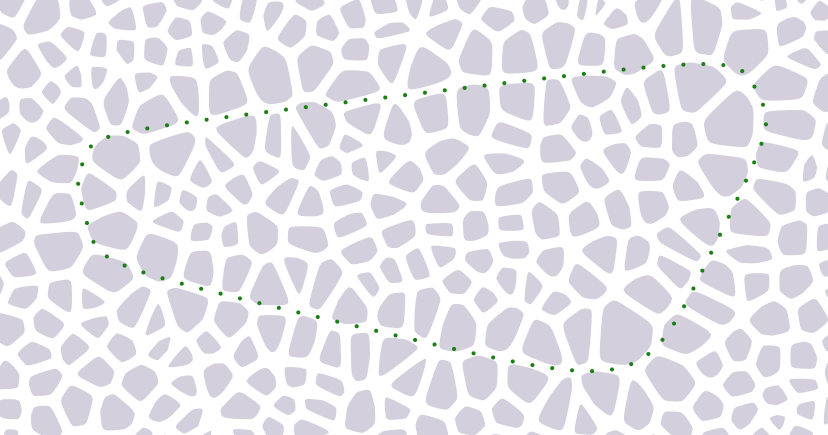
Seeds sampling cost map
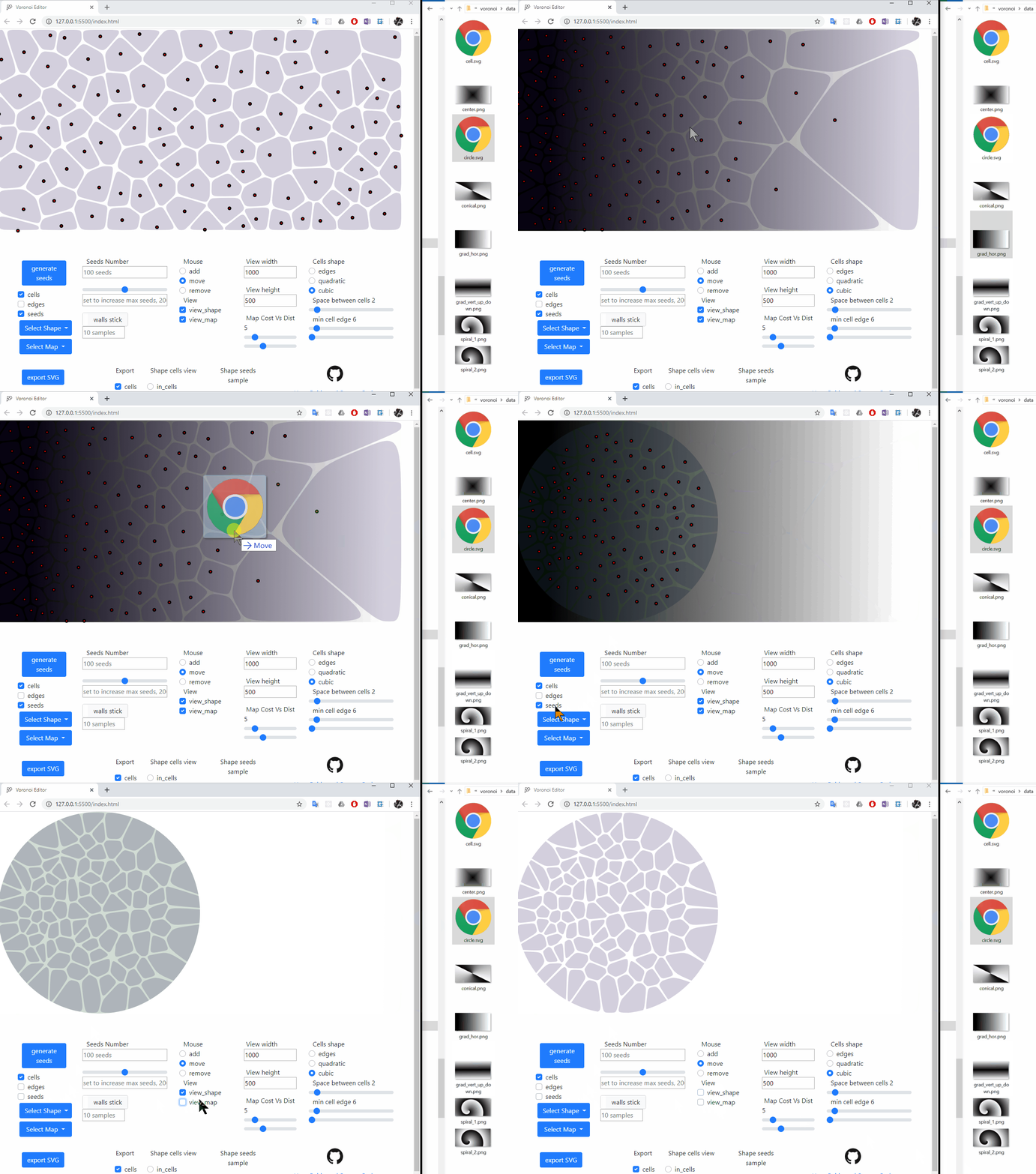
drag and drop a png file on the editor's window
run sampling with preferrably a high sample count (~100 or more)
In all sampling variants, the seeds do have the neighbors distance as cost minimzation factor. Using a shape's path, the cost add up to avoid the path with a distance. Here, a png image gray scale is used as a cost map that is weighted with the neighbors distance.

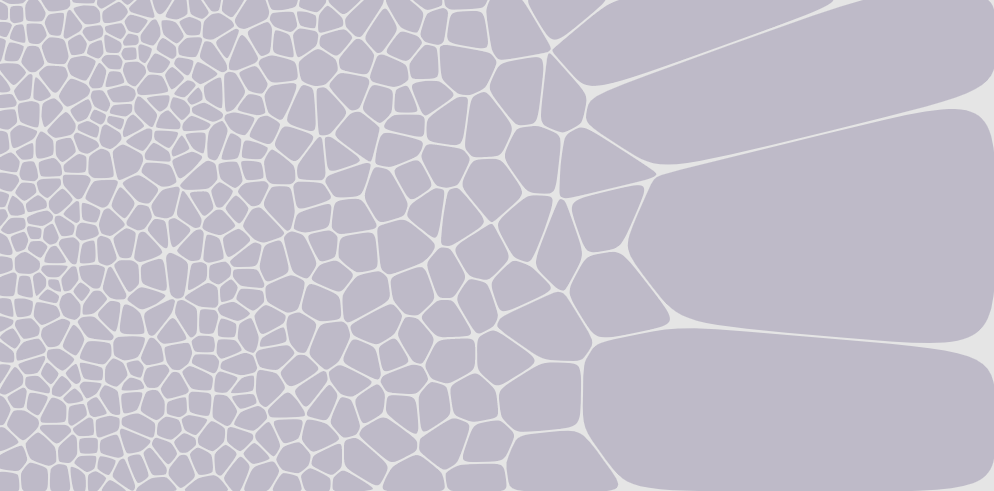
In the animation below, after dropping a spiral cost map, the Map Cost Vs Dist slider is moved from 5 to 20 to concentrate the cells in the darker areas.
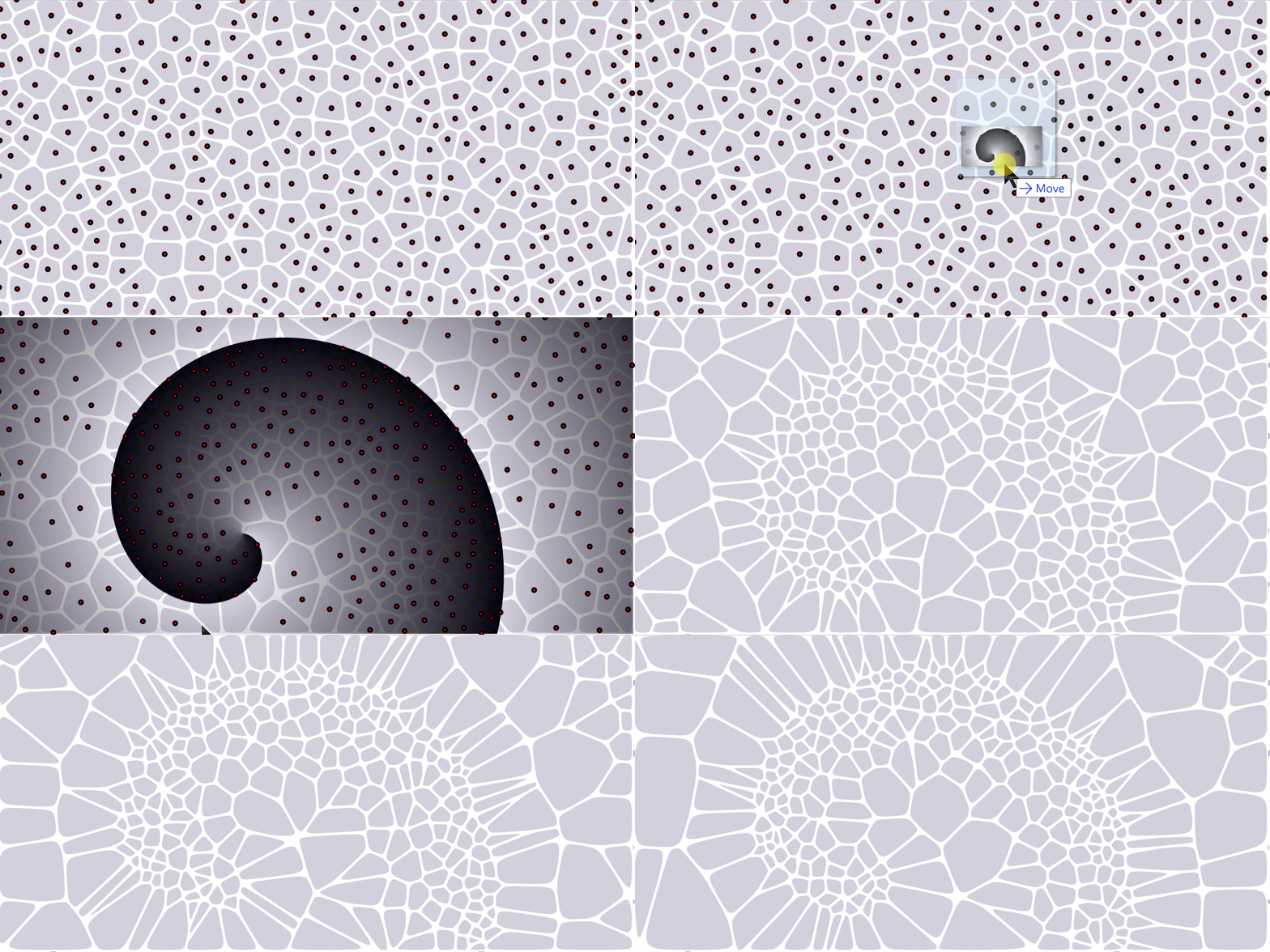
SVG Path Shaped area and png seeds cost map
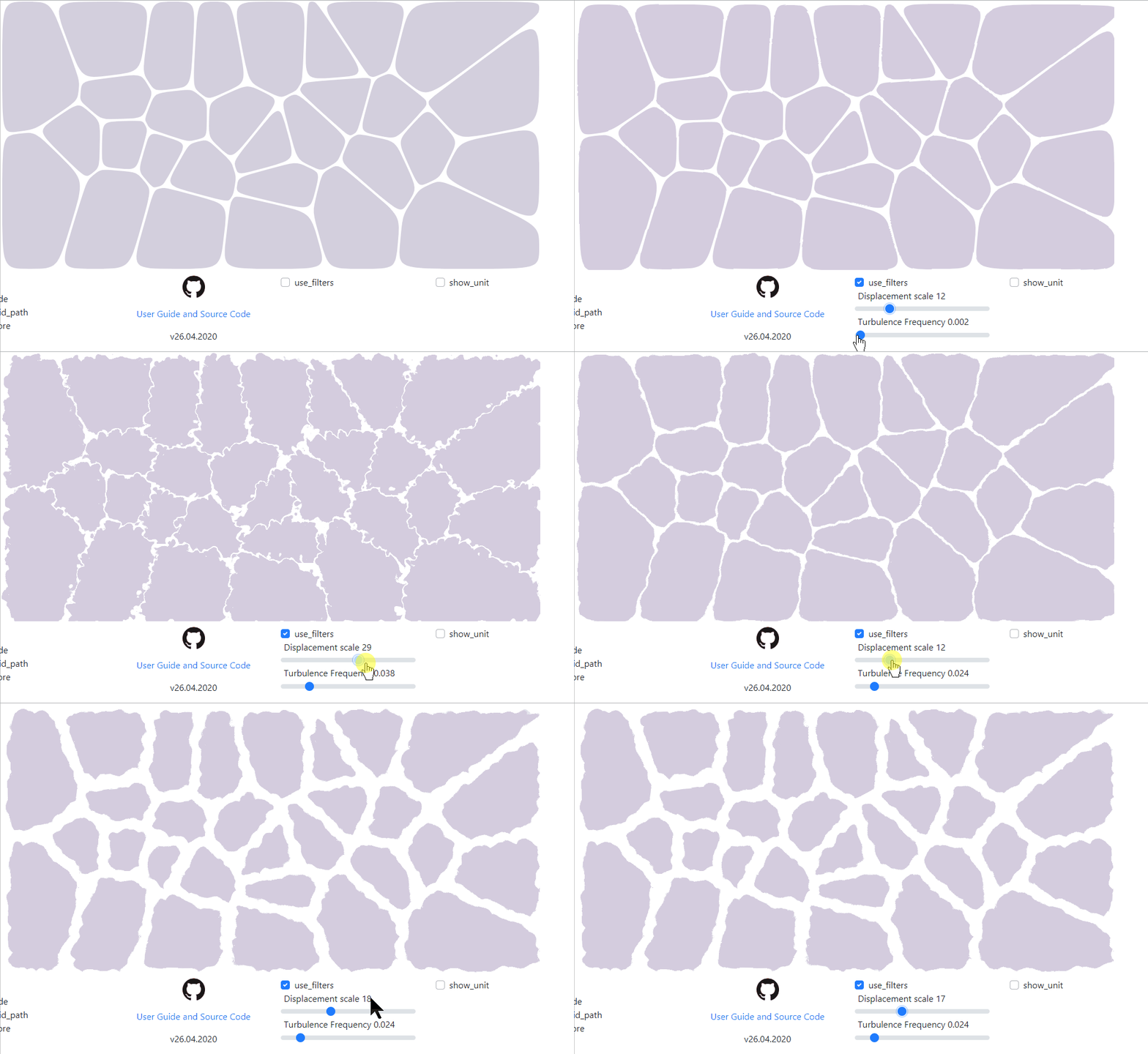
Filters : Displacement with Turbulence
warning ! The svg filters effect, though part of the standard and viewable in browsers are not always supported by CAD programs such as Fusion360 !
Features details
Generate Voronoi Diagram
Export to SVG file
Shaped Tesselation area with an SVG path
Cost map for Seeds sampling from a png file
seedsEdit seeds : add, move, remove
Export and import seeds (drag and drop seeds.json) and continue editing of an existing seeds set
seeds contain window size info since 26.04.2020, prio formats with seeds array only have to have window size adjust manually before import
Parametric Seeds generation
Controlled seeds spread regularity with multiple sampling and keeping best candidate (farthest from neighbors)
Optionally include distance from walls to the sampling selection cost
Range slider with interactive update for adding and removing seeds to and out of existing set
rearrange seeds when modifying window size
Shaped tesselation area
sampling points inside an SVG path with
document.elementFromPoint(x, y);
Concentration cost map for seeds sampling
cellsdifferent cells types
bezier quadratic
bezier cubic
simple geometric edges
cells edges retraction. Not cells scale but edges parallel rertraction with handling of closed edges discard
Shaped tesselation area
display of cells which seeds are within an SVG path
the option is available to simply cut cells with an SVG mask
guigrid based, responsive svg and menu areas
Show/hide (cells, edges, seeds) and independently configure the SVG export
Browser local storage of config parameters (No storage of SVG nor seeds as they can be saved separately)
SVG filters for displacement and turbulence, but note that they can only be seen on the browser and they're not supported by tools such as Fusion360
display of width and height with unit ratio
transform scale possible but Fusion360 ignores the scale transform
cost mapdisplay / hide cost map
slider to weight cost map vs distance
Planned features
edges cells filet effect
add irregularities to the edges thickness (randomize retraction)
improve error alerts by using boostrap auto vanishing alerts
random colors for cells
discarded features
export scale with a ratio (adjusting to a given unit)
feature brings an ambiguous usage as svg is supposed to be scalable and should not require a fixed scale
extremely difficult, due to dependency to shape input that is svg and which size has to match, could be exported
cost map is png with pixel units, so would also deviate from map view
simple svg scale function not recognised by Fusion360
modifying seeds coordinates to deviate them far away from pixels values might result in floating precision errors, resulting in unhandled voronoi cases
could have been possible to copy all of the cells, edges structures and scale them one by one before export
as a workaround, provided view with ratio unit
detract quadratic bezier short edges
cells retraction "Space between cells" is providing a good enough short edges removal, combined with space though. It is hard to differentiate the effect of both, and it would break the Voronoi equalities
edit seed weight to modify cells size (? requires a new engine, or use cells retraction technique) (editing singe seed weight,cartographic seeds weight)
Would break the voronoi intuitive equality, and requires a new engine. Also wuold require the user to tweak each cell separately. The cost map is a good solution how to achieve the last point (cartographic seeds weight), as the cells size is a one to one match to the seeds dispertion.
License
MIT
Issues
Dependencies
node dependencies are not required to serve the project locally, but only to reference the used dependencies
Vornoi js Library
'gorhill' Javascript Voronoi library
used
rhill-voronoi-core.jsfrom commit 3fe2165modified for ES2015 module import
Vector module from matter.js
modified
./node_modules/matter-js/src/geometry/Vector.jsfor ES2015 module import
bootstrap
issue with bootstrap toggle adding event listeners with js not possible
Export / Download
Filesaver
  npm install file-saver --save
file-saver@2.0.2- to be replaced with 'a' download attribute : https://www.w3schools.com/tags/att_a_download.asp
References
'stg' voronoi SVG vectorisation :
- also baed on gorhill's library
- Bezier curves https://pomax.github.io/bezierinfo/
- Closest point on path approximation : https://bl.ocks.org/mbostock/8027637