UWB Indoors positioning
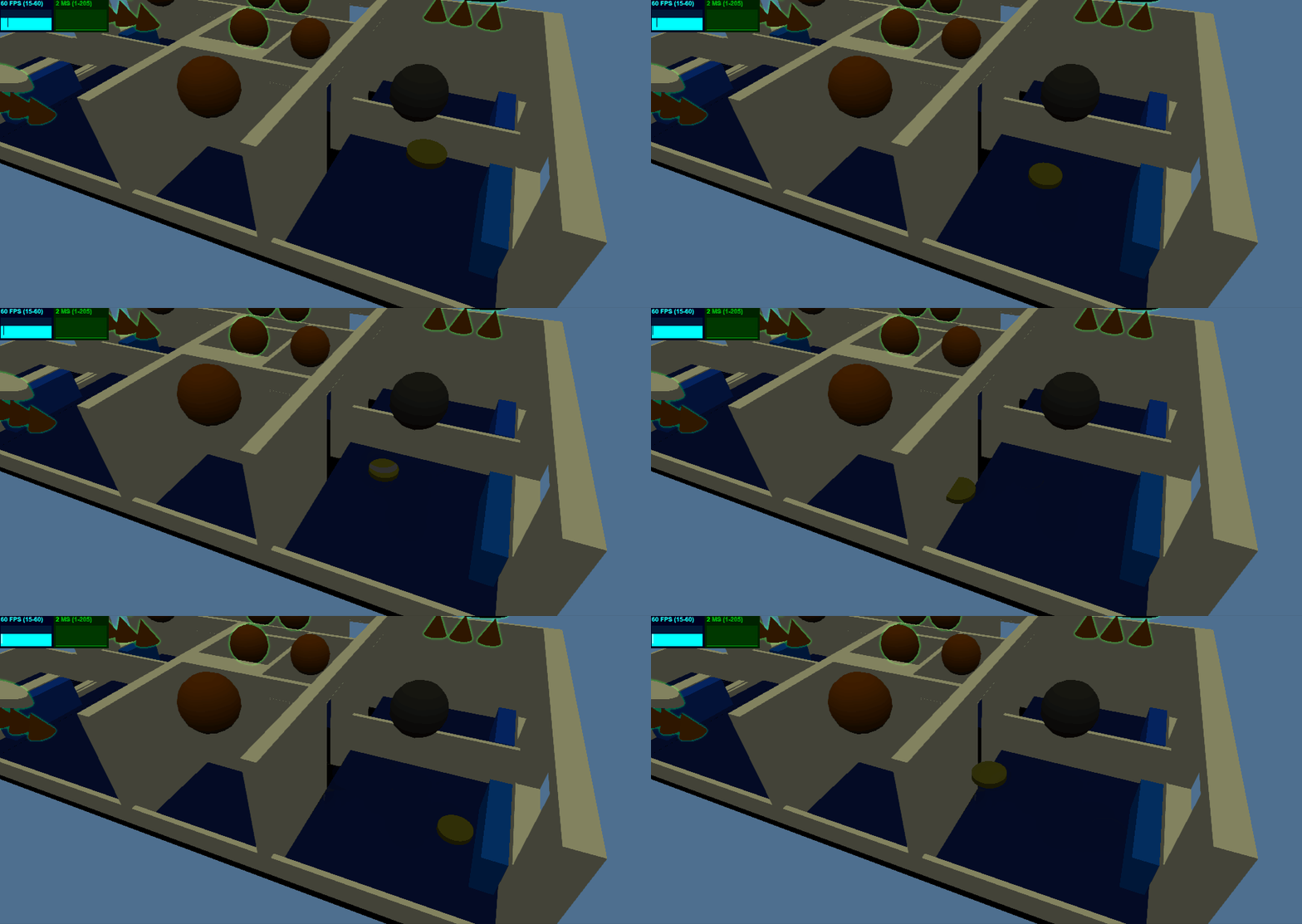
Getting Started
- host this project on your local raspberry pi or see 'Local host vs Remote host' section on how to use the live demo
create your own glTF model from blender (optional)
activate hue bridge connection
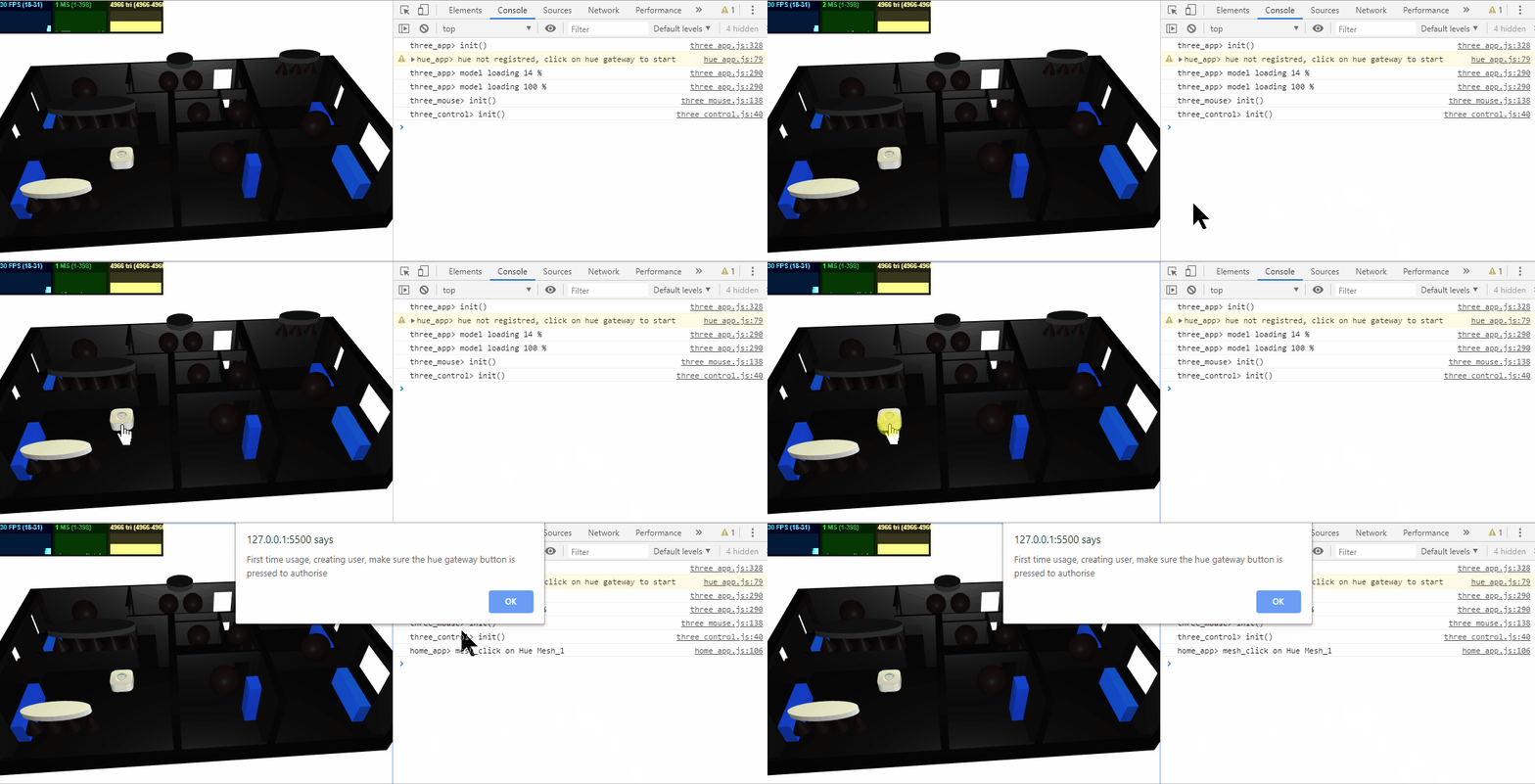
adjust the light names to match your hue lights names
press the Hue Gateway authorisation button (on the real device)
Click on the 3d model of the hue gateway
An alert will apear on the screen to wait for confirmation
The user creation will proceed and the username will be stored as local storage (ctrl+j in chrome to oben the debug window)
activate mqtt connection
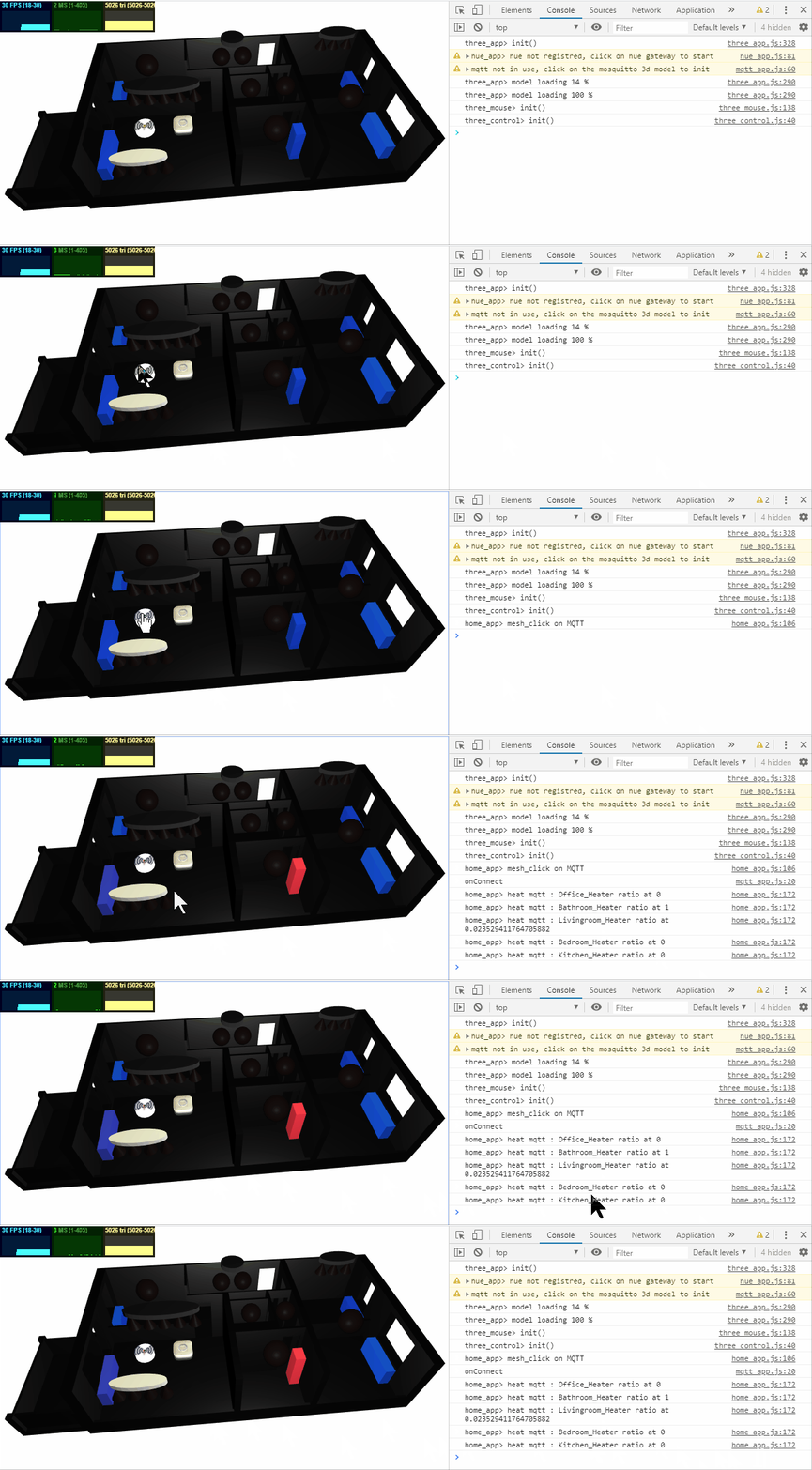
adjust the mqtt topic names to match your mqtt devices
install a mosquitto version with websocket support
Click on the 3d model of the mosquitto gateway
Live demo
Demo light control with power log
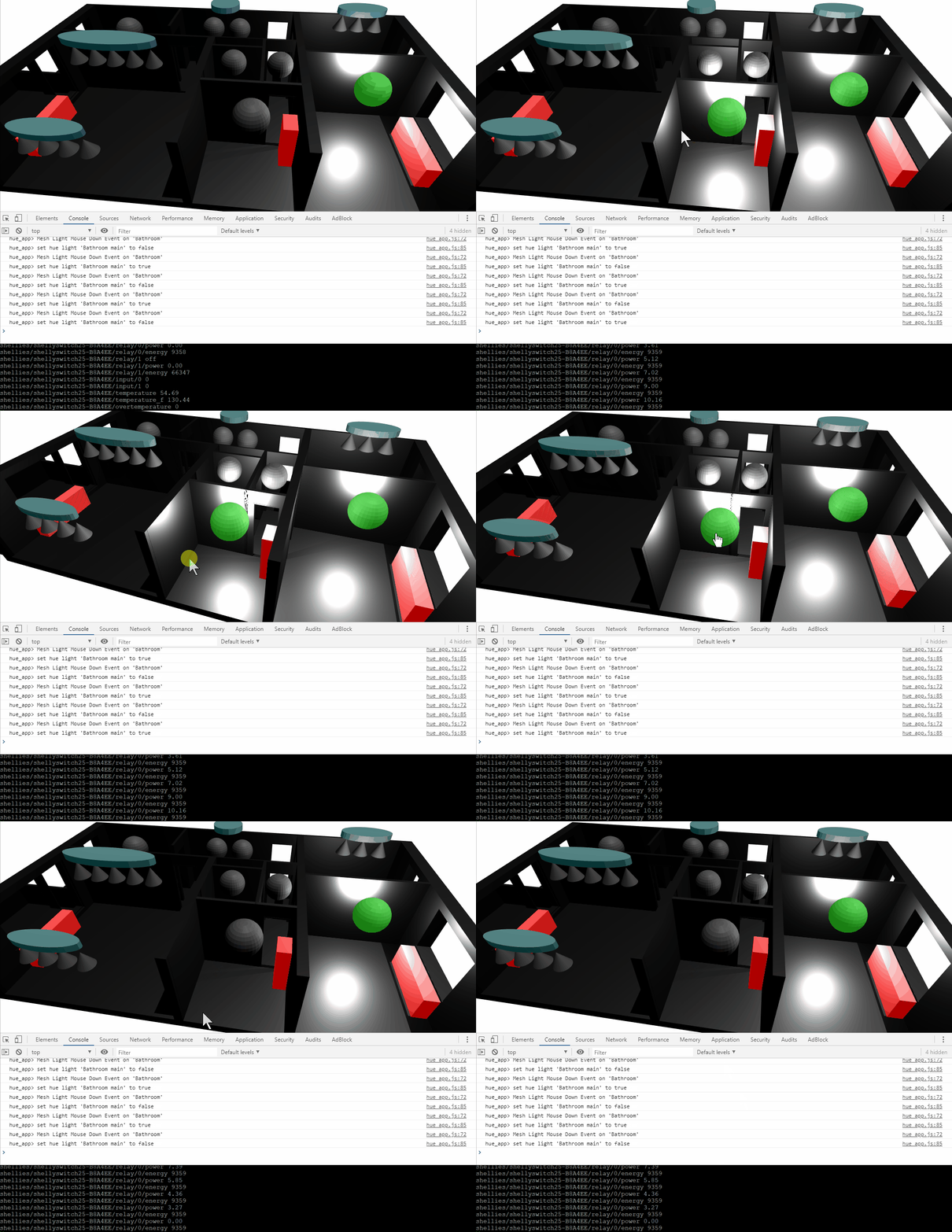
We see in this demo a home 3d model augmented with interactive mesh items. Some meshes represent light bulbs and generate events when the user clicks on them. Those events are handled by a hue light client that interacts with the real hue gateway. The hue client publishes as events the actual state of the switched light, and that state is updated by the mesh bulb color and the associated 3d light.
Concept
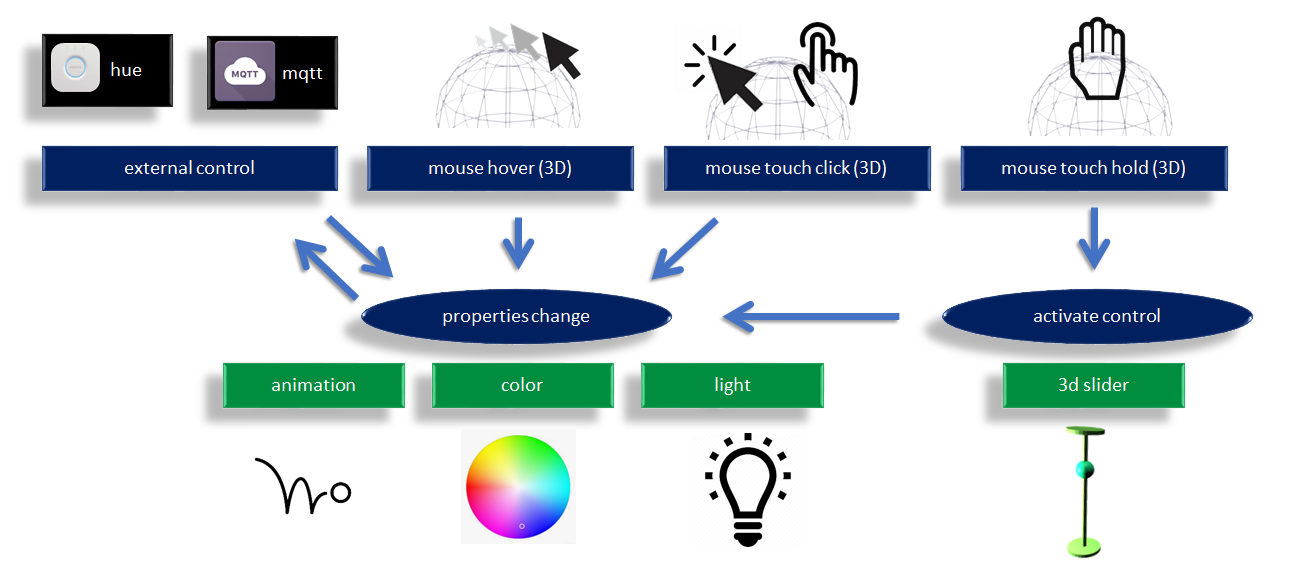
Home automation connected to 3d events in javascript
send_custom_event("three_param",{name:"Kitchen", color:0.3});
send_custom_event("three_param",{name:"Kitchen", light:0.3});
send_custom_event("three_param",{name:"Kitchen", anim:0.3});
send_custom_event("three_param",{name:"Kitchen", pull:0.3});
send_custom_event("three_param",{name:"Kitchen", push:0.3});Step by step details with 12 example in the link below :
Hue lights usage
Note : This project is not related to the hue devices supplier and is a simple user of the provided API.
Hue features
All individual lights and lightgroups visible and usable on the same view (not possible with other hue apps)
Correct display of light status. On off and grayed when not reachable (other apps might show out of reach lights same color as the ones switched on)
Click/Touch light to control on-off
Cilck/Touch lightgroup to control on / off (using any_on)
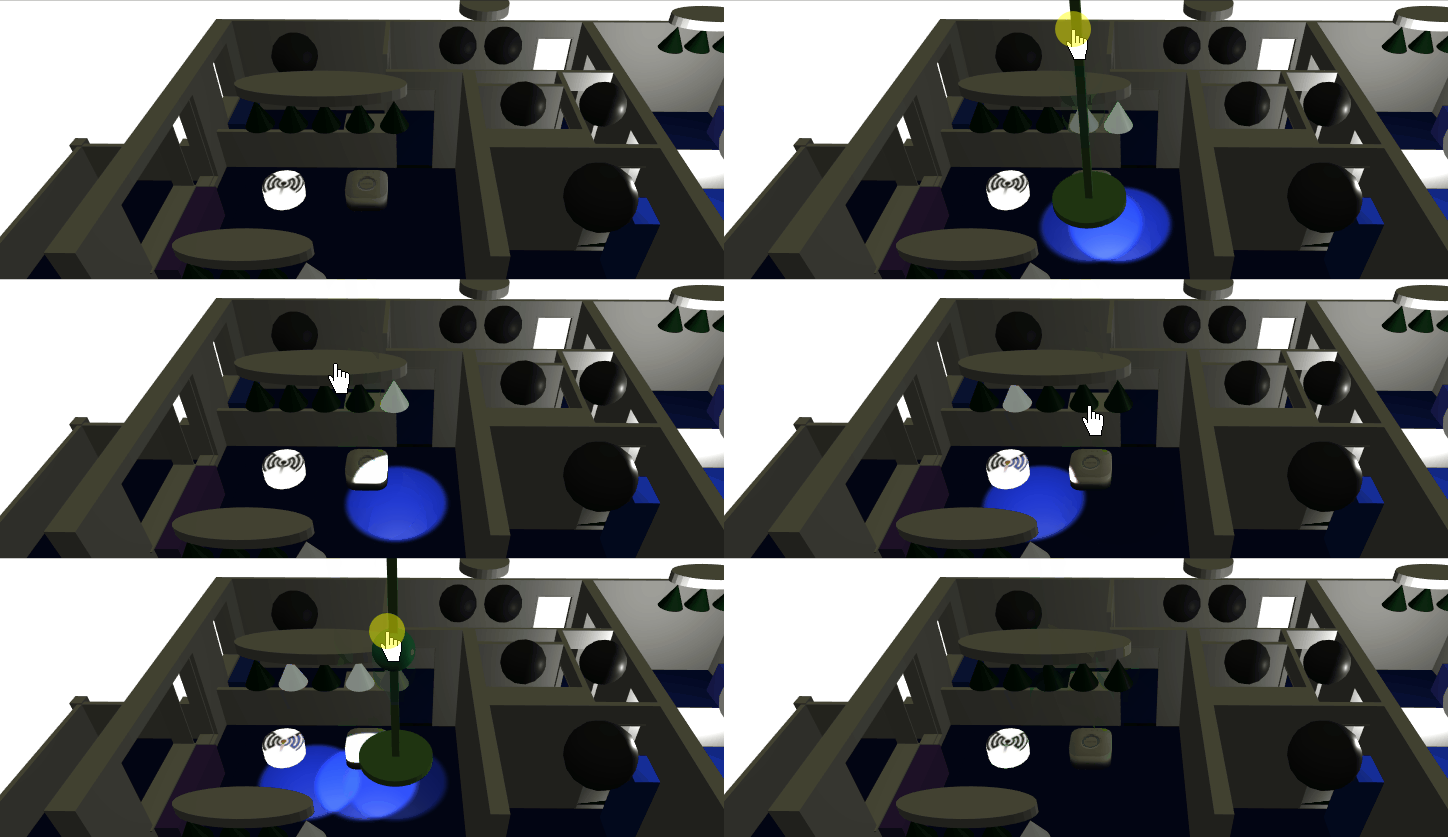
hold and use 3d slider to adjust the light brightness (lights and groups)
hold and control allows to dim light up gradually out of zero without a bang in case of previous dim state was high, and it is possible to jump to previous dim state by switch on with touch or click (other apps dissociate switch on and dimming functions, so that if left at high dim level, you have to switch it on on full brightness first before being able to dim it lower)
3d light bulbs and 3d light brightness vary in sync when controlling the 3d slider (groups slider on exit only)
webapp lights kept in sync even when used externally. Configurable polling is used (default is 2 sec), event
hue_all_lightsonly sent on changes (shallow compare)
Hue config in blender
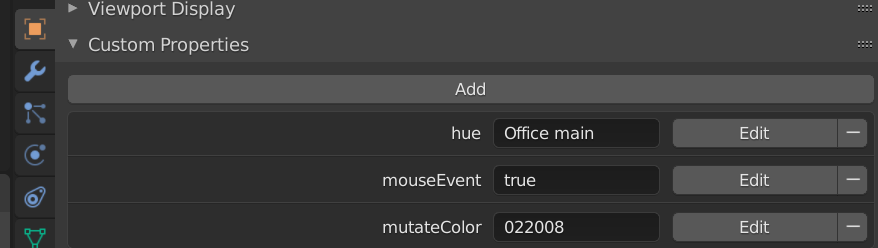
configuration of hue light name in blender Light bulb object Custom properties.
Hue events application code
window.addEventListener( 'hue_lights_on_startup', onHueStartup, false );
window.addEventListener( 'hue_light_state', onHueLightState, false );

function onHueLightState(e){
    const name = hue_mesh_name[e.detail.name];
    send_custom_event("three_param",{name:name, light:e.detail.on});
}
lights broadcast their state on startup and as a feedback when updated from javascript
Hue light groups
Lightgroup are optional and the individual light items configuration does not differ depending on if they are part of a light group or not.
only the hue gateway lightgroup is being used. That means a lightgroup has to be created with the hue app before it can be used in this webapp.
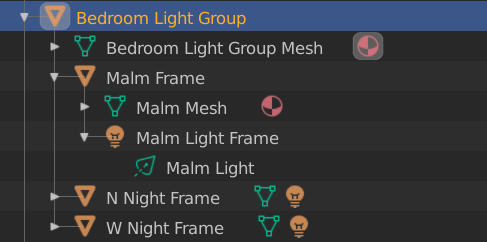
Indiviual lights have to be attached to a parent mesh that have these custom properties
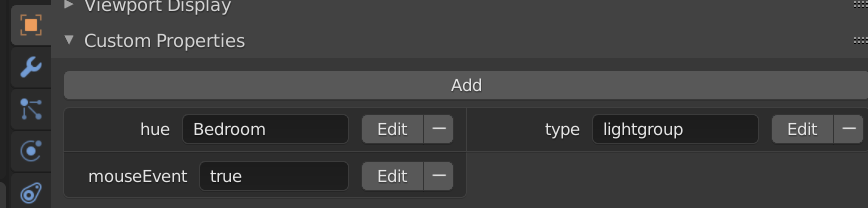
a lightgroup shall also have a
huefield, the only differerence is that it has no blender light item and does have atype:lightgroupproperty.as the hue gateway allow it, a normal light and a lightgroup can have the same name.
tested hue light types
productname: Hue color spot
modelid: LCG002
type: Extended color light
- config:{archetype:wallspot}
state:{on, bri, hue, sat, effect, xy, ct}
capabilities:{control:{mindimlevel, maxlumen, ct:{min,max}, colorgamuttype, colorgamut:[0,1,2]}}
productname: Hue ambiance spot
modelid: LTW013
type: Color temperature light
- config:{archetype:singlespot}
state:{color,bri,ct}
capabilities:{control:{mindimlevel, maxlumen, ct:{min,max}}}
productname: "Hue white lamp"
modelid: LWB010
type: Dimmable light
- config:{archetype:classicbulb}
state:{on, bri}
capabilities:{control:{mindimlevel, maxlumen}}
productname: Hue filament bulb
modelid: LWO001
type: Dimmable light
- config:{archetype:vintagebulb}
state:{on, bri}
capabilities:{control:{mindimlevel, maxlumen}}
productname: Color temperature light
modelid: RS 128 T
type: Color temperature light
- config:{archetype:wallspot}
state:{on, bri, ct}
capabilities:{control:{ct:{min,max}}}
productname: Color temperature light
modelid: RB 148 T
type: Color temperature light
- config:{archetype:candlebulb}
state:{on, bri, ct}
capabilities:{control:{ct:{min,max}}}
demo light groups
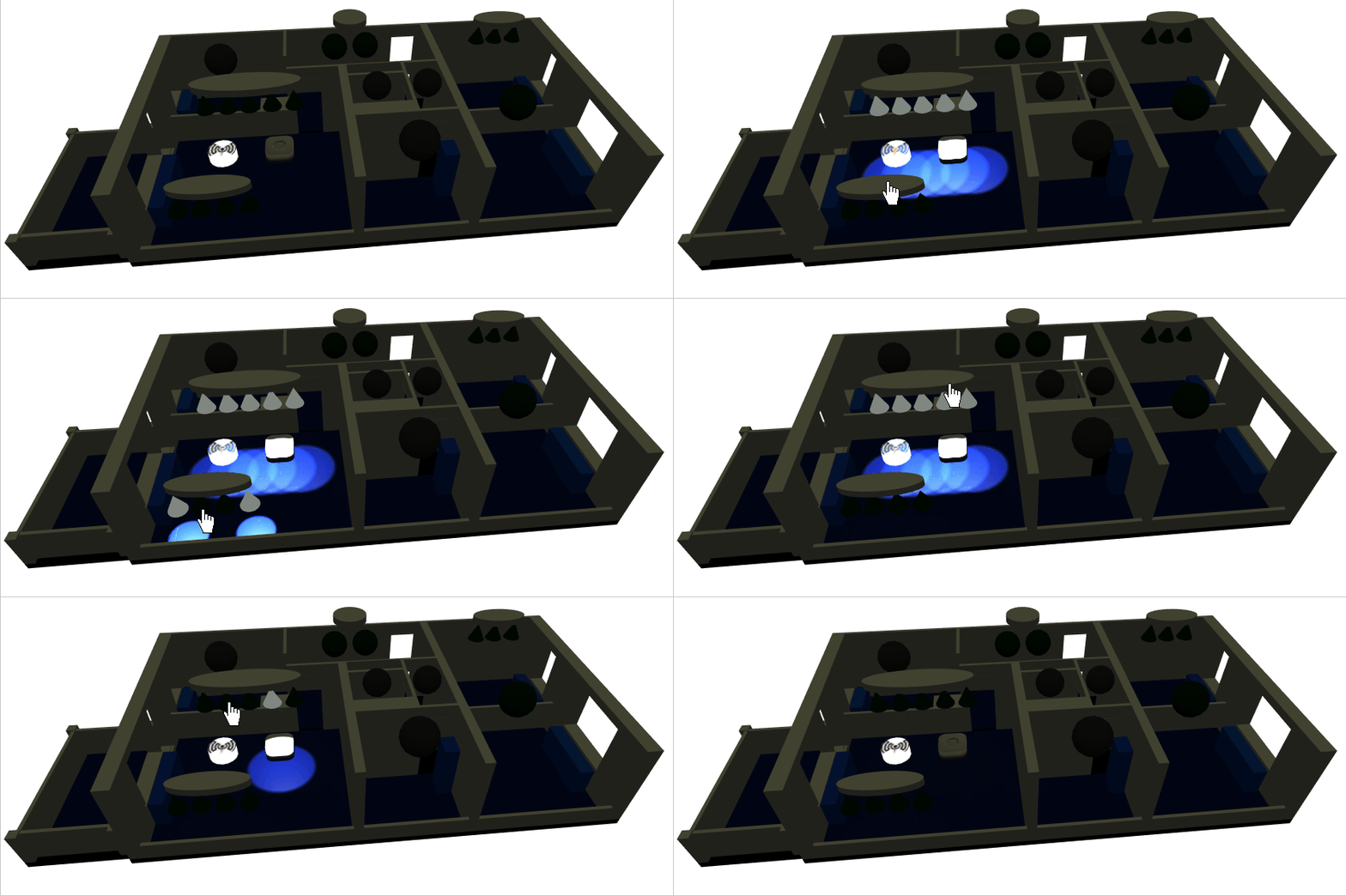
demo light and group dimming
Mqtt config in blender
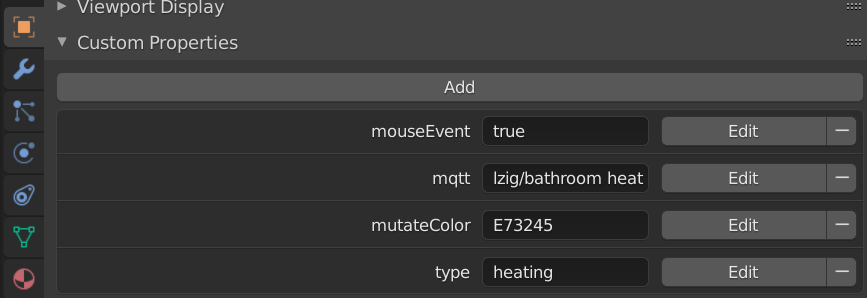
The mqtt topic has to be assigned to an mqtt custom property
Mqtt events application code
window.addEventListener( 'mqtt_message', onMqttMessage, false);

function onMqttMessage(e){
    ...
	if(obj.userData.type == "heating"){
		const heating_demand = e.detail.payload.pi_heating_demand;
		send_custom_event('three_param',{name:obj_name,color:heating_demand});
	}
}
Mqtt temperature sensors on room floor color
blender home model
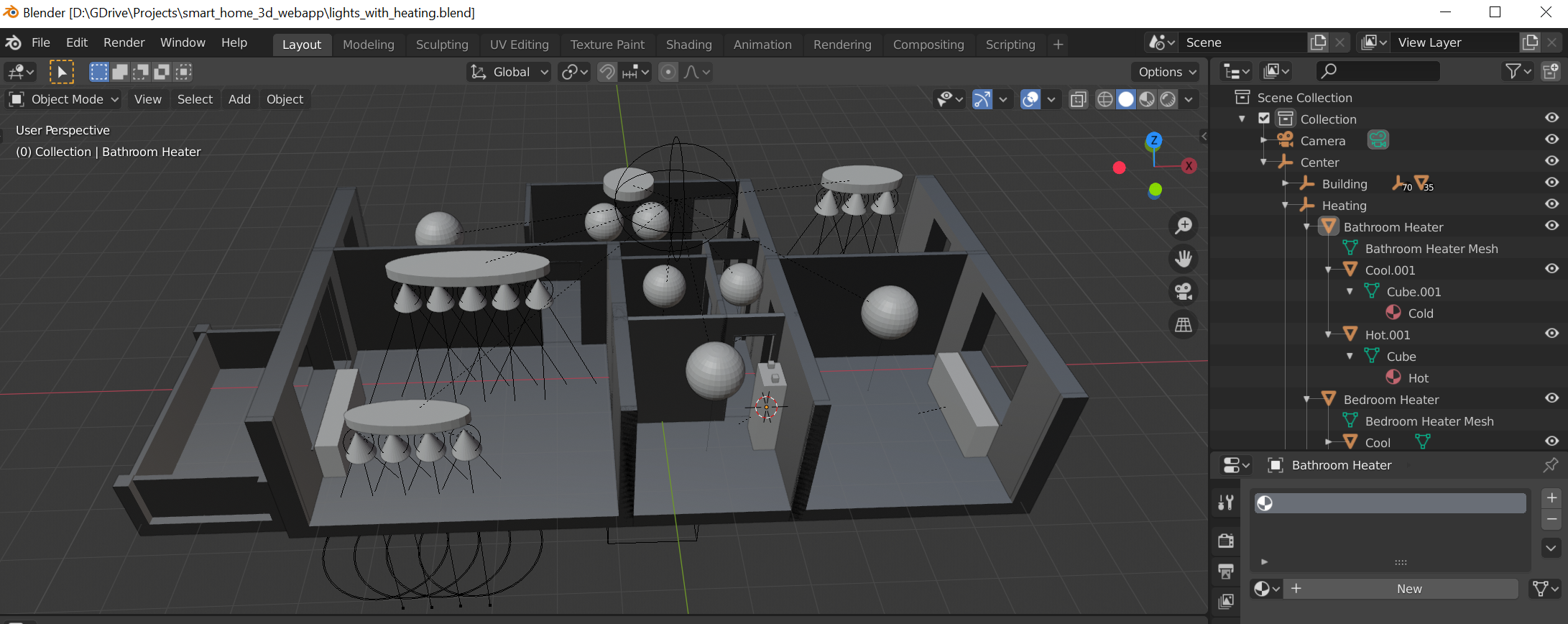
The blender model export in .glTF is already part of this repo. So you would only need the blender file in case you'd like a template to start with and customise.
The created home model should have custom properties. It is also possible to use the repo's home model file and edit it as it is a json format : ./3d_models/home.gltf. It is possible to rename the hue: field with your own hue lights names as known by the hue gateway.
    "extras" : {
        "mouseEvent" : "true",
        "type" : "light",
        "hue" : "Bathroom main"
Requirements
- mqtt usage require a mosquitto with websocket support, see this guide on how to install mosquitto with websockets
Dependencies
web_three_interface
Features
3d interactions with click and hold
3d slider positioning relative to child world coordinate
glTF model with custom properties (hue, mqtt, mouse)
mqtt: events forward to javascript events
- stats and fps. (can be disabled in config.json)
heaters pi_heating_demand on heater mesh colors
rooms temperature on floor color
EffectComposer and outlinePass for app selected interactive objects (
three_param:outline)
Planned Features
enhance 3d slider with more info about limits and states
adjust heating with 3d slider
hue light dimming : required visible difference between minimal dimm and off
directional light to reflect room sensors ambient light
add windows open close with colors
use lower poly mesh
add coap support through node server (split, back+front) but keep the same front
add android native app with sockets and coap permissions
- add fallback support with a websocket/socket wrapper https://github.com/novnc/websockify
fall back on interactive demo mode from within the same app
meta light groups with parenting
add direct mqtt support wtihout websockets through node server
issues and limitations
no material animation supported by gltf, so fallback on a mutateColor custom property
No Custom Properties export for Light Object Data Properties (green), only Object Properties (orange)
- gltf-blender : No area light export possible github issue
- three.js : RectAreaLight has limitations and conditionsRectAreaLight demo
Local host vs remote host
preffered and recommended way : host this repo on your own local rapsberry pi webserver. A vpn is recommended as a solution to remotely get into your local netwrok. Any sort of port exposing and https secure hosting will require a complete security check and would be run with an unknown risk.
- non preferred way : but can be used for test and demonstration purpose, directly from github.io : https://homesmartmesh.github.io/smart_home_3d_webapp/
Limitation when using from github .io :
Github .io are the exact deployment of this same repo, the master branch is deployed so is not stable and might not run as it did the last time you used it.
Network safety : As the hue.js script is using http, a mixed content http/https error will happen when using from github .io as it is an https server. It is still possible to override this safety.
It is not possible to customize your own 3d model
It is not possible to update the name of your hue lights (you could still rename some to match the
./3d_models/home.gltfcontent)
Performance
test model : 8000 triangls
PC wtih NVIDIA GeForce GTX 745 : 30 FPS, 5 ms
Samsung galaxy S10 : 60 FPS
Samsung galaxy S5 : 14 FPS
Samsung galaxy Tab pro (SM-P900) : N.A (does not fully load, simplified scene with 3000 tri at 2 FPS)