web py loopback
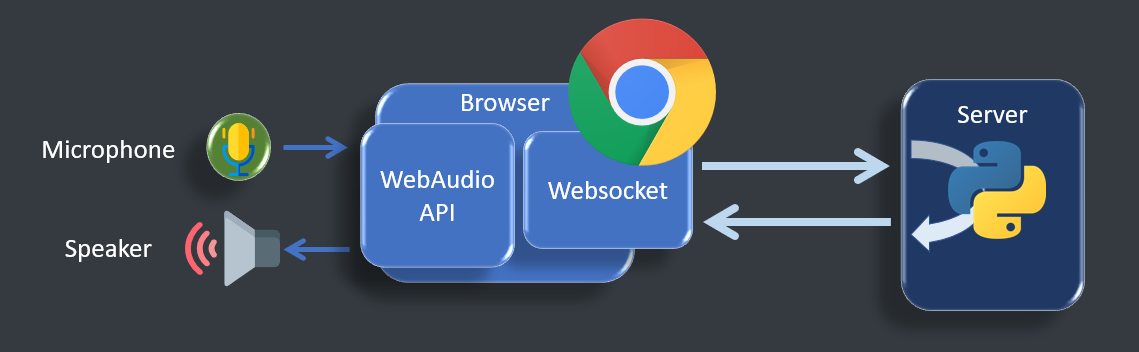
using
createScriptProcessorwhich is to be deprecated- Note
MediaStreamTrackProcessoris not supported yet as of 02 Apr 2021. Sample demo available
web audio script processor
using the deprecated
ScriptProcessorNodeto divert the input and send it through websocket asFloat32Arrayto the serveron the same processing loop, the audio is replacing with the incoming
Float32Arraystream from the serverDuring the first iteration of the processing loop, as the queue is empty, the output is filled with zeros
media source extension API
using
MediaRecorderandMediaSourcefor encoded stream loopback through websocket
webRTC
pystream
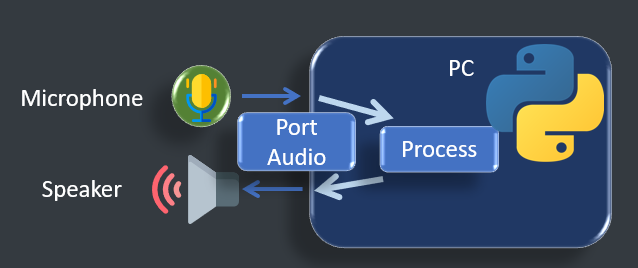
List audio devices
Test Audio input and output
connect inputs to outputs
process the live stream between input and output
generate tone
dependencies
matplotlib
numpy
see sound
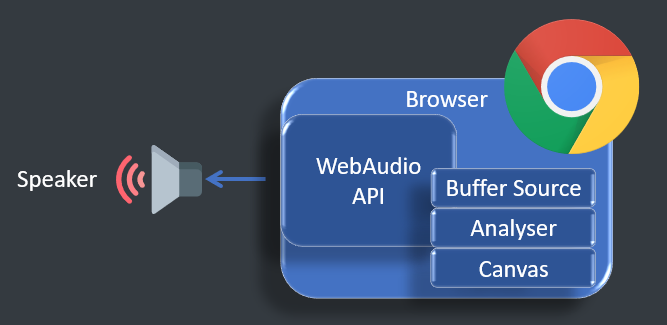
a web app framework to see the sound in different forms
real-time analysis of played audio
- Playing sound with html5 web Audio API
Live demo
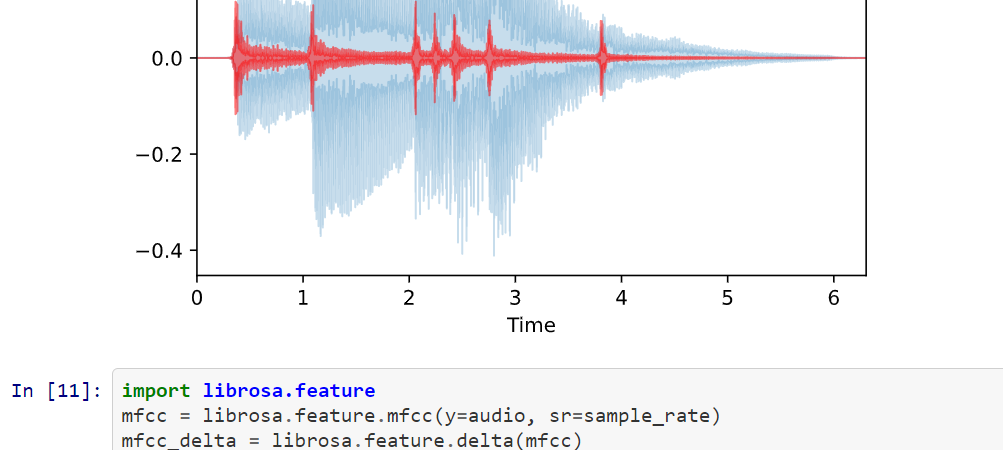
librosa test
Jupyter notebooks to showcase librosa functions
Microcontroller loopback
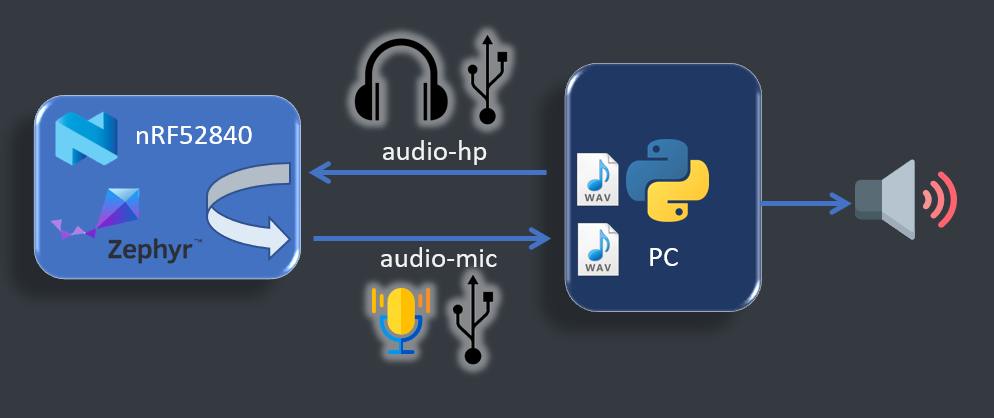
usb audio loopback zephyr example on
nrf52840dk_nrf52840tested on the nRF52 dongle with debugger attached
build
cd zephyr/samples/subsys/usb/audio/headphones_microphone
west build -b nrf52840dk_nrf52840 -- -DCONF_FILE=prj.conf
west flash
build log
-- west build: generating a build system
-- Application: D:/Projects/zp/zephyrproject/zephyr/samples/subsys/usb/audio/headphones_microphone
-- Zephyr version: 2.5.99 (D:/Projects/zp/zephyrproject/zephyr)
-- Found Python3: C:/Users/User/AppData/Local/Programs/Python/Python39/python.exe (found suitable exact version "3.9.0") found components: Interpreter
-- Found west (found suitable version "0.10.1", minimum required is "0.7.1")
-- Board: nrf52840dk_nrf52840
-- Cache files will be written to: D:/Projects/zp/zephyrproject/zephyr/.cache
-- Found toolchain: gnuarmemb (D:/tools/gnu_arm_embedded/10 2020-q4-major)
-- Found BOARD.dts: D:/Projects/zp/zephyrproject/zephyr/boards/arm/nrf52840dk_nrf52840/nrf52840dk_nrf52840.dts
-- Found devicetree overlay: D:/Projects/zp/zephyrproject/zephyr/samples/subsys/usb/audio/headphones_microphone/boards/nrf52840dk_nrf52840.overlay
-- Generated zephyr.dts: D:/Projects/zp/zephyrproject/zephyr/samples/subsys/usb/audio/headphones_microphone/build/zephyr/zephyr.dts
...
-- west build: building application
[152/159] Linking C executable zephyr\zephyr_prebuilt.elf

[159/159] Linking C executable zephyr\zephyr.elf
Memory region         Used Size  Region Size  %age Used
           FLASH:       45912 B         1 MB      4.38%
            SRAM:       16004 B       256 KB      6.11%
        IDT_LIST:          0 GB         2 KB      0.00%
Future Plan
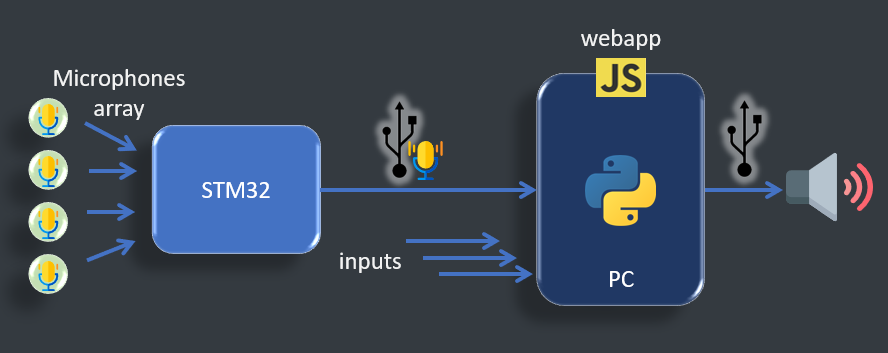
Interactive sound input
inputs in microcontrollers for preprocessing interface to PC for further processing.
it's also possible to have microcontroller standalone applications
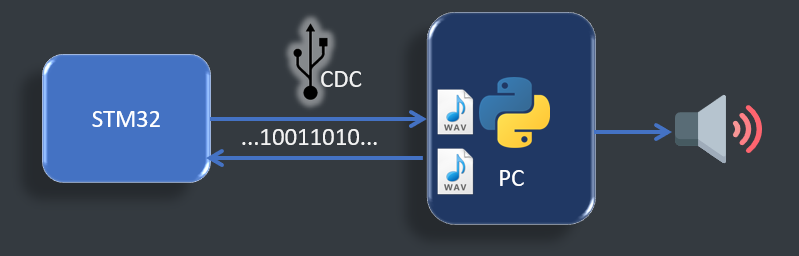
Debug workflow
it's possible to debug an embedded sound processing system by injecting packets and retrieving the results
Topics
Offline Preparation
The Offline preparation is a necessary step to understand the signal and condition it for the target application where it will be used, that's where Python with its scientific toolkits and machine learning environment will be used.
Signal Analysis
Machine Learning
Real Time Processing
Smart applications are ones that instantly react to the user in an interactive, collaborative or assistive mode such as during tracking. Therefore an instant response of the system is what creates a feeling of connection with the instrument.
Real time Audio processing requires dedicated hardware acceleration to prevent delays.
Capture
It's about capture of audio and other user inputs. Audio goes through I2S microphone arrays connected to microcontrollers. Other user inputs can be accelerometer or touch interfaces that are to be used as control for sound generation
Microphones
Accelerometers
smart touch surface
USB interfaces (Audio / HID / Serial Data)
Display
The output should not only be hearable as a sound signal but also visual in order to assist the interaction.
webapp view of live audio signal
Status feedback through LEDs
Microcontrollers
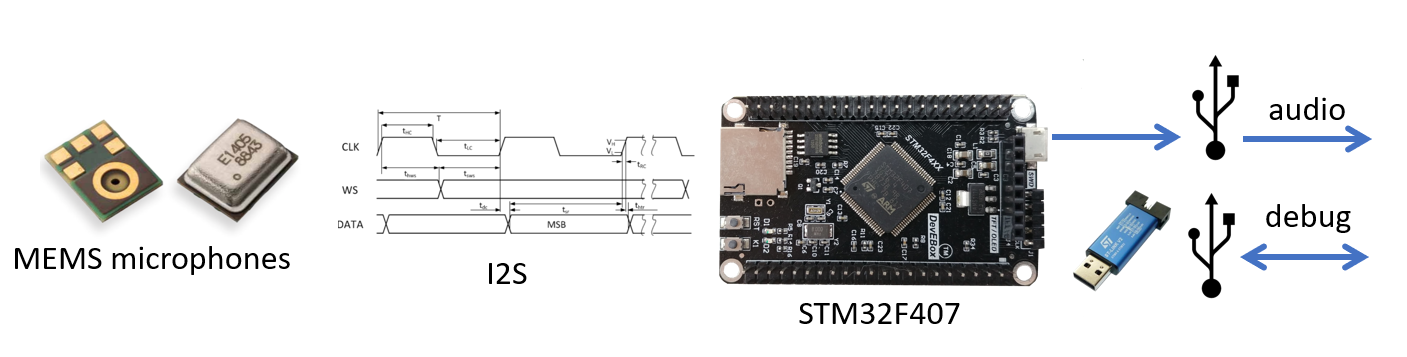
- MEMS microphones : SPH0645
Microcontrollers in scope :
STM32 based on ARM-M4
Black pill : STM32F411 (USB)
Audio Discovery : STM32F407 (USB, stereo out)
DevEBox : STM32F407 (USB, SDCARD)
ESP32 (wifi / BT)
nRF52 (custom RF / BT)
Example integration of cubemx with pio :
FAQ - Discussion
What is the difference between a MediaStream and a MediaSource when used in a real time network ?
It is possible to append Buffers to a MediaSource which opens its input to a custom websocket while MediaStream, can only be bound to a webRTC RTCPeerConnection.
Note that audio.src is to be used with a MediaSrouce URL while audio.srcObject is for MediaStream.